Remote work has fundamentally reshaped how we think about our living spaces. What was once a spare corner or kitchen table has become a full-time professional environment, and the tools we use there matter more than ever. At the center of any productive home office sits the monitor — the window through which we communicate, create, and collaborate for hours each day.
For budget-conscious workers, the monitor market presents a frustrating paradox: premium displays from well-known brands often carry price tags that feel unjustifiable for a home setup, while cheaper alternatives tend to disappoint with washed-out colors, bulky frames, or unreliable performance. The sweet spot — a monitor that looks great, performs reliably, and doesn’t drain your wallet — can feel impossible to find.
That’s where KTC enters the conversation. With a growing lineup of monitors featuring thin bezels, crisp visuals, and competitive pricing, KTC has been quietly earning attention from home office workers who refuse to choose between quality and affordability. But do these monitors genuinely deliver, or are the trade-offs too significant to ignore? This article breaks down everything you need to know to make an informed decision.
Understanding KTC Monitors: A Budget-Friendly Brand Overview
KTC has carved out a distinct niche in the increasingly crowded monitor market by doing something deceptively simple: delivering genuinely capable displays at prices that don’t require a second thought. Founded with a focus on accessible technology, the brand has steadily built a reputation among home office workers, students, and everyday users who want reliable performance without the premium markup that dominates so much of the industry.
What sets KTC apart from the flood of generic budget displays is its deliberate approach to feature selection. Rather than cutting corners across the board, KTC tends to invest in the specifications that matter most for daily use — screen clarity, build quality, and modern design elements like slim profiles and narrow bezels — while keeping the overall cost firmly within reach. The result is a lineup that feels more considered than its price point might suggest.
The brand has gained particular traction among remote workers who found themselves suddenly needing to upgrade a home setup without the corporate IT budget to back it up. For this audience, KTC represents a practical middle ground: not the bare-minimum display you’d regret within a week, and not the high-end professional monitor that’s hard to justify for personal use. It occupies the space where value and functionality genuinely intersect.
Of course, no brand at this price tier is without trade-offs, and KTC is no exception. Understanding what the brand prioritizes — and where it makes compromises — is the key to determining whether a KTC monitor is the right fit for your specific home office needs. The sections ahead break that down in practical detail.
Key Features for Home Office Productivity: Thin Bezels and Crisp Visuals
When you’re spending six to ten hours a day in front of a screen, the monitor you choose stops being just a piece of hardware — it becomes part of your working environment. For home office users, two features consistently rise to the top of the priority list: thin bezels and crisp visuals. These aren’t marketing buzzwords. They directly influence how focused you stay, how comfortable your eyes feel by late afternoon, and how well your workspace functions as a professional environment rather than a makeshift desk setup.
The Benefits of Thin Bezels in Modern Monitors
A thin bezel — the frame surrounding the display panel — might seem like a purely cosmetic detail, but its practical impact on a home office is surprisingly significant. The most immediate benefit shows up in multi-monitor configurations. When two or three displays sit side by side, thick bezels create a visual interruption right where your eye naturally travels between screens. Thin bezels minimize that gap, allowing content to flow more naturally across multiple panels and reducing the mental friction of switching focus. For someone managing spreadsheets on one screen while running a video call on another, that continuity matters.
Beyond multi-monitor setups, thin bezels simply make a workspace feel cleaner. Home offices often double as living spaces, and a monitor that looks sleek and modern integrates more naturally into a room’s aesthetic than a bulky, dated frame. KTC’s lineup leans into this with narrow-bezel designs that look proportional on a desk without dominating the visual space around them. There’s also a practical ergonomic angle: less frame means more screen in a smaller physical footprint, which helps when desk space is limited.
Achieving Crisp Visuals: Display Technology and Performance
Sharp, accurate visuals aren’t a luxury for home office work — they’re a functional requirement. Reading dense text in documents, reviewing design files, or simply spending hours on video calls all place real demands on a display. Resolution is the starting point: a 1080p panel at 24 inches delivers clean text rendering for most productivity tasks, while stepping up to 1440p at 27 inches or larger provides noticeably more screen real estate and sharper detail without requiring a high-end graphics card to drive it.
Panel type shapes the overall experience in ways that resolution alone doesn’t capture. IPS panels, which appear across much of KTC’s lineup, offer wider viewing angles and more accurate color reproduction than TN alternatives — a meaningful advantage when colleagues or family members glance at your screen, or when you’re doing any work involving images or design. Color accuracy also affects something as routine as video calls, where a display that renders skin tones naturally makes communication feel less clinical.
Refresh rate is worth considering even for non-gaming use. A 75Hz panel delivers noticeably smoother scrolling and cursor movement compared to a standard 60Hz display, reducing the subtle visual fatigue that builds over long sessions. Combined with features like flicker-free backlighting and low blue light modes — both present in KTC’s home office-oriented models — the cumulative effect on eye comfort across a full workday is real and worth factoring into any buying decision.
Affordability Without Compromise: Why KTC Monitors Are Cost-Effective
The budget monitor space is littered with products that cut costs in ways users don’t discover until it’s too late — a panel that dims unevenly after six months, a stand that wobbles with every keystroke, or color performance so poor that documents look different on screen than they print. KTC’s approach to affordability is more deliberate than simply sourcing the cheapest available components and packaging them attractively.
Much of KTC’s cost efficiency comes from streamlined manufacturing and a direct-to-consumer distribution model that trims the retailer markup that inflates prices on comparable displays from legacy brands. That savings gets passed along without gutting the specifications that actually matter for daily use. Where a similarly priced display from a more established name might offer a recognizable logo but mediocre panel performance, KTC tends to allocate its budget toward the display itself — the part you interact with every hour of your workday.
The brand also makes smart trade-offs rather than indiscriminate ones. Features that primarily benefit gamers — ultra-high refresh rates above 144Hz, adaptive sync technologies, or RGB lighting — are generally absent from KTC’s home office lineup. That’s not a weakness for the intended audience; it’s a deliberate prioritization. The money saved by skipping those extras funds better panel quality, cleaner industrial design, and build consistency that holds up over years of regular use. For a remote worker who needs a reliable, comfortable display rather than a gaming rig, that trade-off represents genuine value. The result is a monitor that competes well above its price tier in the categories that actually define the home office experience.
How to Choose the Best KTC Monitor for Your Home Office: A Step-by-Step Guide
Selecting the right KTC monitor doesn’t have to be overwhelming, but a little structure goes a long way toward avoiding buyer’s remorse. Working through a few focused questions before purchasing will help you land on a display that genuinely fits your workflow rather than one that looks good in a spec sheet but falls short at your desk.
Start by assessing your actual working needs. Screen size and resolution are the two variables with the most immediate impact. If your primary tasks involve document editing, email, and video calls on a single screen, a 24-inch 1080p panel delivers sharp, legible text without requiring significant desk space. If you regularly work with spreadsheets spanning dozens of columns, reference multiple windows simultaneously, or do any light design work, stepping up to a 27-inch 1440p model provides meaningfully more usable screen real estate and noticeably finer detail.
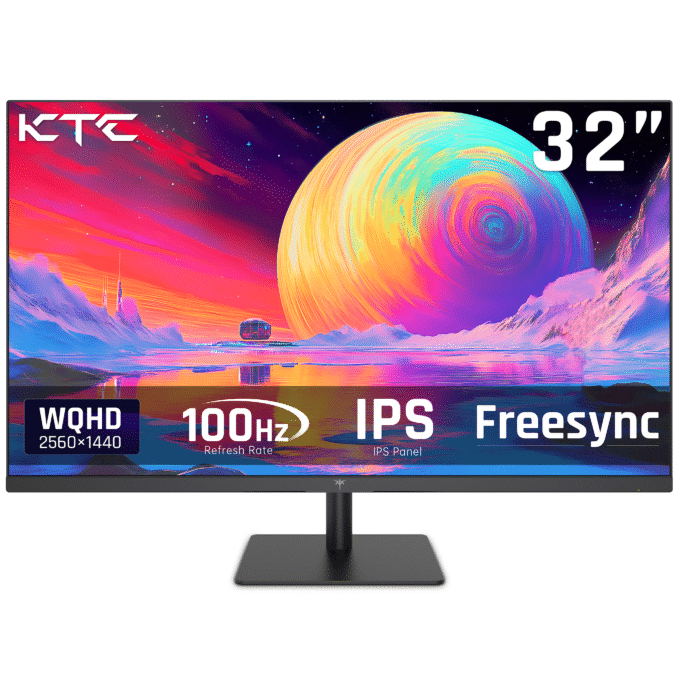
Next, compare KTC models based on the features most relevant to your setup. For a multi-monitor arrangement, prioritize models with the narrowest bezels to keep the visual gap between screens minimal. For single-screen setups where you’ll spend long hours reading and writing, look specifically for IPS panel variants with flicker-free certification and a low blue light mode — these reduce cumulative eye strain more than any other specification on the list.
Ergonomics deserve attention before you finalize any choice. Check whether your preferred model includes height adjustment, tilt, and VESA mounting compatibility. A monitor that can’t be positioned at eye level forces poor posture that compounds over months of daily use. If the included stand is limited, budget for a monitor arm alongside your purchase.
Finally, evaluate long-term value by reviewing KTC’s warranty coverage and customer support availability in your region. A two-to-three year warranty on a budget monitor significantly reduces the financial risk of the purchase and signals the manufacturer’s confidence in their own product. Combined with KTC’s competitive pricing, that coverage makes the overall value proposition considerably stronger than the sticker price alone suggests.
KTC Monitors: The Verdict for Budget Home Office Setups
After examining KTC monitors from multiple angles — brand positioning, display features, pricing strategy, and practical selection criteria — a clear picture emerges. These monitors genuinely deliver on the promise that budget-conscious home office workers are looking for: thin bezels that clean up a workspace and support multi-monitor setups, crisp visuals that hold up through long working days, and pricing that doesn’t force painful trade-offs between quality and affordability.
What makes KTC a credible choice isn’t just the low sticker price — it’s the deliberate way the brand allocates value. By focusing investment on the specifications that define the daily home office experience and skipping extras that serve a different audience entirely, KTC has built a lineup that punches noticeably above its price tier where it counts most.
That said, the right monitor is always the one that fits your specific situation. If your work centers on document editing and video calls at a single screen, a KTC IPS panel in the 24-to-27-inch range offers exceptional value. If you’re building a multi-monitor setup on a tight budget, KTC’s narrow-bezel designs make that configuration more affordable without the visual compromises that typically come at this price point.
The bottom line: KTC monitors are a genuinely strong contender for home office setups on a budget. Explore the current lineup with your own screen size, resolution, and ergonomic requirements in mind, and you’re likely to find a display that serves your workday well without straining your finances.