You set your iPad Air down for just a second, and that’s all it takes — one careless moment, one unexpected drop, and suddenly you’re staring at a spiderweb of cracks across a screen that cost you hundreds of dollars. Scratches from keys in your bag, impact damage from a tumble off the couch, smudges that won’t quit — these are everyday realities for iPad Air owners, yet a surprising number of users still treat screen protection as an afterthought.
Here’s the uncomfortable truth: most people don’t think seriously about protecting their iPad Air screen until something goes wrong. By then, repair costs can rival the price of a budget laptop. For tech-savvy consumers who rely on their devices for work, creativity, and entertainment, that kind of setback isn’t just expensive — it’s disruptive.
This article is for people who value their devices and want them to last. Whether you’re a student, a creative professional, or simply someone who expects durable tech gear to keep up with a demanding lifestyle, you’ll find practical guidance here. From choosing the right screen protector to exploring the broader world of mobile accessories that keep your iPad Air in peak condition, this guide covers everything you need to make a smart, informed decision.
Why Your iPad Air Screen Protector is Non-Negotiable
The iPad Air’s display is one of its most impressive features — and one of its most vulnerable. Apple uses Liquid Retina technology with a slim, lightweight build that prioritizes portability over ruggedness. That engineering trade-off means the glass, while treated, is still susceptible to the kinds of damage that happen in ordinary daily life. A single drop onto a hard floor from desk height can shatter the screen entirely, and even minor contact with abrasive surfaces leaves permanent scratches that degrade touch sensitivity and visual clarity over time.
The financial reality makes this even harder to ignore. Out-of-warranty screen repairs for an iPad Air can run anywhere from $200 to over $400 depending on the model and service provider — a cost that could have been avoided entirely with a $15 to $50 iPad Air screen protector. For professionals who use their iPad Air for digital illustration, document review, or client presentations, a cracked screen isn’t just an aesthetic problem. It disrupts workflow, strains your eyes, and projects a careless image at exactly the wrong moment.
Consider how most damage actually happens: bags stuffed with keys and pens, devices balanced on armrests, kids grabbing tablets off coffee tables. These aren’t freak accidents — they’re Tuesday. Durable tech gear doesn’t mean buying the most expensive hardware; it means pairing that hardware with the right protection from day one. A screen protector is the lowest-cost, highest-impact step you can take to preserve your iPad Air’s usability and resale value for years to come.
Exploring Types of Screen Protectors for iPad Air
Not all screen protectors are created equal, and choosing the wrong type can leave you with a frustrating experience — poor touch response, distracting glare, or a protector that peels within weeks. Understanding the core categories helps you match the right product to your actual usage habits rather than just grabbing whatever’s cheapest at the checkout counter.
Tempered Glass Protectors: Maximum Durability
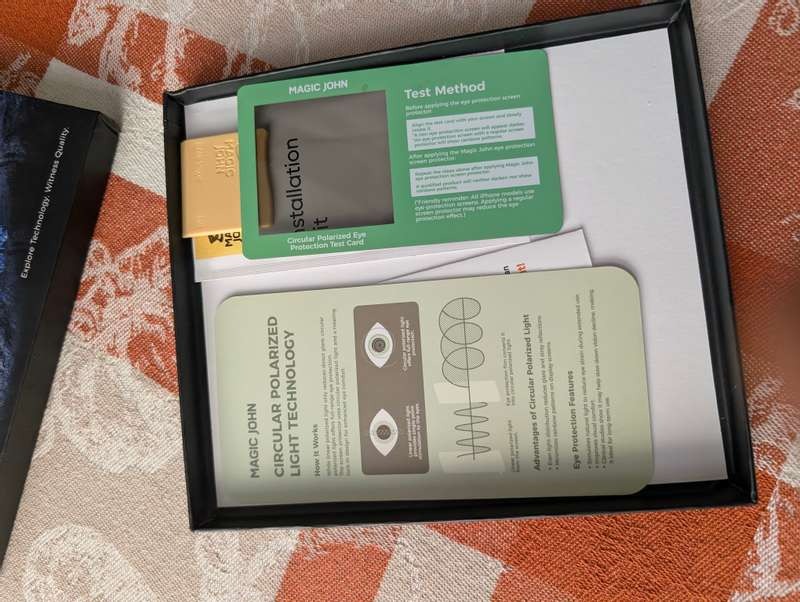
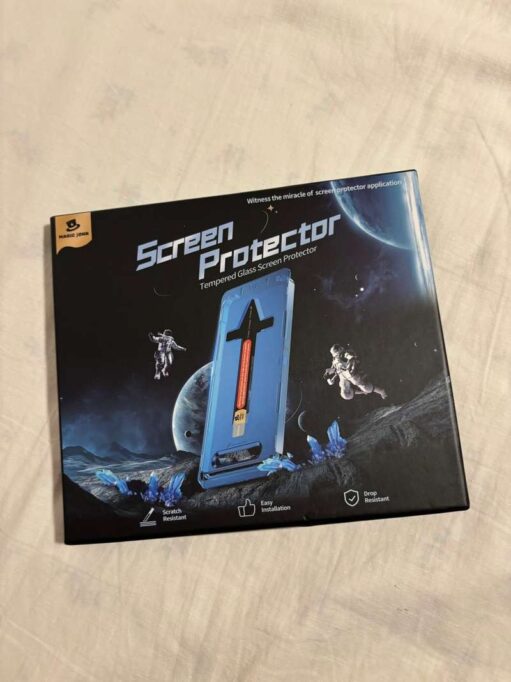
Tempered glass protectors are the gold standard for iPad Air users who prioritize genuine protection. Manufactured through a heating and rapid-cooling process, tempered glass achieves a hardness rating of 9H on the Mohs scale — hard enough to resist keys, coins, and most sharp objects that would scratch bare glass instantly. More importantly, quality tempered glass absorbs and disperses impact energy, meaning a drop that might crack your iPad Air’s display directly can instead shatter the protector while leaving the original screen intact. For anyone investing in durable tech gear, that trade-off is exactly the point. Brands like MagicJohn have built their reputation in this space by producing tempered glass options that maintain optical clarity comparable to the bare screen, preserve Apple Pencil sensitivity, and include oleophobic coatings that resist fingerprints almost as effectively as the factory glass beneath.
Plastic Film and Anti-Glare Options
Plastic film protectors occupy a different niche — they’re thinner, lighter, and significantly more affordable, making them a reasonable entry point for users who want basic scratch resistance without adding bulk. Standard PET film guards against surface-level abrasions from bags and pockets but offers minimal impact protection compared to tempered glass. Anti-glare film variants, however, serve a genuinely useful purpose: they reduce reflections in bright environments like outdoor settings or fluorescent-lit offices, making the screen far more readable without cranking up brightness. Privacy filter films add another layer of utility, limiting viewing angles so that sensitive documents or creative work can’t be seen by people sitting beside you. Within a broader mobile accessories setup, these specialty films complement rather than replace more robust protection solutions.
How to Choose the Best iPad Air Screen Protector: A Step-by-Step Guide
Walking into a store or scrolling through product listings, you’ll encounter dozens of screen protectors all claiming to be the best. Cutting through that noise requires focusing on a few concrete criteria that actually matter for your specific situation rather than marketing language designed to sell you anything.
Start with material quality and hardness rating. For most iPad Air users, tempered glass with a verified 9H hardness rating is the baseline worth pursuing. Be skeptical of products that advertise hardness without third-party verification — legitimate manufacturers back their claims with testing data. If you’re a light user primarily concerned about scratches rather than drops, a high-quality PET film from a reputable brand within your mobile accessories budget is a reasonable alternative.
Compatibility matters more than it might seem. iPad Air models differ across generations in screen dimensions and corner curvature, so a protector designed for one generation may leave gaps or lift at the edges on another. Always verify the exact model compatibility before purchasing — this single oversight accounts for a large share of negative reviews across the category.
Evaluate touch and stylus performance carefully, especially if you use an Apple Pencil. Some thicker protectors introduce a noticeable lag or friction that disrupts handwriting and illustration workflows. Look for protectors specifically rated for Apple Pencil compatibility if that’s part of your setup.
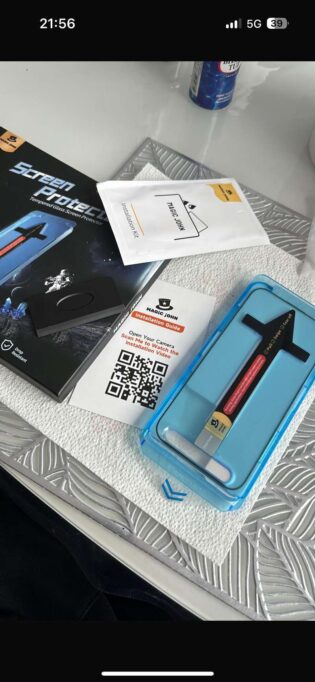
Finally, consider installation support. Bubble-free installation kits, alignment frames, and included cleaning wipes aren’t just conveniences — they’re indicators that a manufacturer expects their product to be applied correctly and stands behind the result. Within a thoughtful mobile accessories strategy, a protector that installs cleanly and stays flush is worth a modest premium over a cheaper option that requires repeated attempts to get right.
Installing Your iPad Air Screen Protector: Foolproof Steps
Even the best screen protector fails if it’s applied poorly. Dust trapped beneath the surface, misaligned edges, or persistent bubbles don’t just look bad — they compromise the protector’s adhesion and can introduce pressure points that affect touch sensitivity. The good news is that a clean, bubble-free installation is entirely achievable with the right preparation and a bit of patience.
Begin by choosing your environment deliberately. A bathroom shortly after a hot shower works surprisingly well — the steam settles airborne dust particles, giving you a cleaner surface to work with. Wash and dry your hands thoroughly before touching either the protector or your screen. Most quality screen protectors include a microfiber cloth and a dry wipe; use both in sequence, finishing with the dry wipe to eliminate any remaining moisture or lint. For stubborn dust specks that cling to the screen, the included dust removal sticker — or a piece of clear tape — lifts particles cleanly without leaving residue.
Alignment is where most installations go wrong. If your protector came with an alignment frame or tray, use it — these tools remove guesswork entirely by locking the protector in the correct position before you commit to the application. Without a frame, peel back just enough of the backing to expose one edge, align that edge carefully against your iPad Air’s camera cutout and home button side, then slowly lower the rest of the protector while using a card or squeegee to push out air from the center outward. Work in one continuous direction rather than pressing randomly. Any small bubbles remaining after application typically disappear within 24 to 48 hours as the adhesive fully bonds to the screen.
Beyond the Screen: Essential Mobile Accessories for Comprehensive Protection
A screen protector handles one critical vulnerability, but your iPad Air has more exposure points than just its display. A comprehensive protection strategy treats the device as a whole — and for tech-savvy consumers who depend on their gear daily, that means building out a mobile accessories setup that covers every angle, from physical drops to power reliability.
Durable Phone Cases for Added Security
The right case transforms your iPad Air from a fragile slab of glass and aluminum into something that can genuinely survive daily punishment. Folio-style cases offer full front-and-back coverage, doubling as a stand for desk use while shielding the screen when the device is closed. Rugged cases with reinforced corner bumpers are the better choice for users who work in demanding environments — construction sites, classrooms, or anywhere that a drop onto concrete is a realistic possibility. Slim profile cases, meanwhile, preserve the iPad Air’s signature lightweight feel while adding just enough grip to prevent the device from sliding off surfaces. Whatever style you choose, look for cases with raised bezels around the screen — that small lip of material keeps the glass from making direct contact with flat surfaces when placed face-down, a detail that matters more than most people realize until the first scratch appears. Within a broader mobile accessories strategy, a quality case and a screen protector work in tandem: the protector handles surface contact damage, while the case absorbs and redirects impact energy away from the device’s most fragile components.
Fast Charging Cables and Power Solutions
Durable tech gear isn’t just about physical protection — it’s about keeping your device functional when you need it most. Charging cables are among the most frequently replaced accessories in any mobile setup, largely because most users buy the cheapest option available and then deal with fraying connectors and inconsistent charging speeds within months. Braided USB-C cables with reinforced strain relief at both ends outlast standard cables by a significant margin and handle the repeated bending that comes from daily use. For iPad Air owners who rely on their device for work or travel, a fast charging solution paired with a high-wattage USB-C power adapter dramatically cuts downtime — going from low battery to fully charged in under two hours rather than four. Portable power banks certified for USB-C Power Delivery add another layer of reliability for users who can’t always count on a wall outlet. These aren’t luxury additions to your mobile accessories collection; they’re the practical infrastructure that keeps your investment operational and your workflow uninterrupted, day after day.
Smart Protection Starts with the Right Choices
Protecting your iPad Air isn’t a single decision — it’s a series of small, smart choices that add up to a device that stays functional, looks great, and holds its value far longer than one left to chance. The screen protector is where that protection starts. Whether you choose tempered glass for maximum impact resistance or a specialty anti-glare film suited to your environment, the key is choosing deliberately rather than defaulting to whatever’s convenient in the moment.
From there, the logic extends naturally. A well-chosen case handles the drop scenarios a screen protector alone can’t address. Reliable braided charging cables and fast charging solutions keep your device ready when your schedule demands it. Together, these mobile accessories form a practical ecosystem around your iPad Air — one that reflects the same care and intentionality you brought to the original purchase.
For tech-savvy consumers who depend on their devices daily, this isn’t about being overly cautious. It’s about being smart with a significant investment. The cost of comprehensive protection is a fraction of a single screen repair, and the peace of mind it delivers is immediate. Start with the screen protector, build outward from there, and your iPad Air will keep up with everything you ask of it — today, and well into the future.