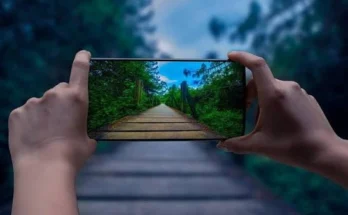
Fashion and technology have never been closer than they are today, with wearable gadgets blurring the line between style and functionality in ways that feel almost science fiction. Among the most exciting innovations to emerge from this convergence is the category of eyeglasses with built-in cameras — a genuine game-changer for anyone who wants to capture life as they actually live it.
Smart sunglasses represent a leap beyond ordinary eyewear. They let you record video hands-free, without fumbling for a phone or mounting a bulky action camera to your head. Whether you’re cycling through a city, hiking a trail, or simply documenting everyday moments, these devices make seamless, discreet video capture genuinely effortless.
This guide is designed for tech-savvy consumers who want to get the most out of their smart sunglasses from day one. We’ll walk you through the initial setup process, share practical techniques for capturing high-quality footage in any environment, explain how to transfer and manage your media wirelessly, and cover smart charging strategies to keep your device ready whenever inspiration strikes. By the end, you’ll have everything you need to use your smart sunglasses with confidence and ease.
Understanding Smart Sunglasses: More Than Just Eyewear
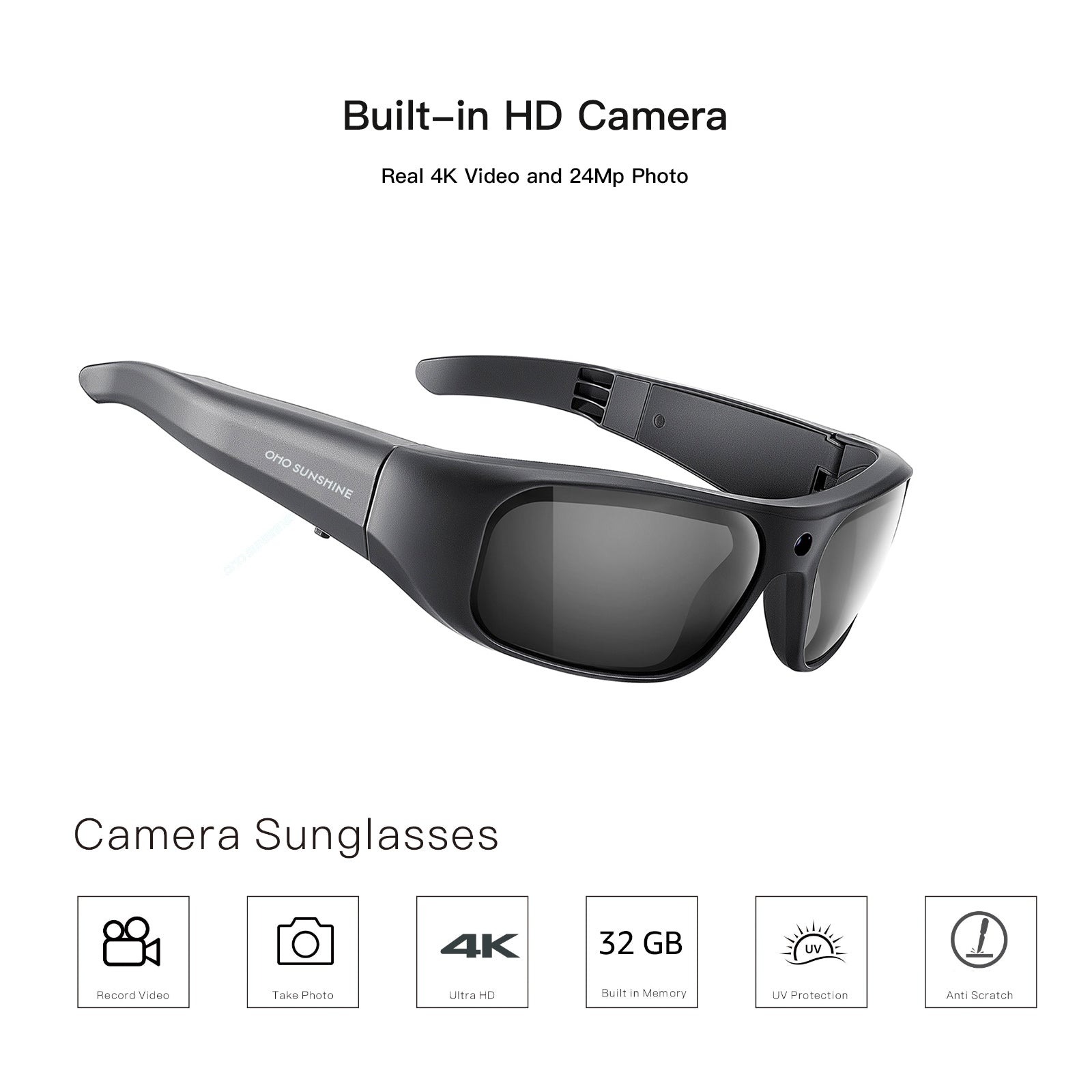
Smart sunglasses are a category of video capture eyewear that combines the everyday utility of sunglasses with sophisticated recording technology built directly into the frame. At their core, these devices house miniature cameras — typically positioned near the bridge or temple — along with integrated microphones, onboard storage, and wireless connectivity through Bluetooth or Wi-Fi. The result is a wearable gadget that records exactly what you see, precisely when you see it, without any additional equipment in your hands.
For tech-savvy consumers, the appeal goes well beyond novelty. Discreet recording means you can capture authentic moments without the social awkwardness of pointing a phone at everything. Hands-free operation keeps you fully engaged in activities — whether that’s navigating a busy street, shredding a mountain trail, or attending a live event — while the camera does the work quietly in the background. Brands like Ohosunshine have helped push this category forward, offering frames that pair genuine optical quality with capable recording technology. Paired with increasingly capable companion apps, today’s smart sunglasses represent a genuinely mature piece of consumer technology, not just an interesting experiment.
Getting Started: Unboxing and Initial Setup
When your smart sunglasses arrive, resist the urge to start recording immediately. Begin by charging the device fully using the included cable — a complete first charge typically takes one to two hours and helps calibrate the battery for long-term performance. This initial step matters more than most users realize, as it establishes the baseline capacity you’ll rely on when you need to charge on the go during extended outings.

Once charged, download the companion app before powering on the glasses. Most manufacturers offer dedicated iOS and Android apps that serve as your primary control hub. Open the app and follow the in-app pairing instructions, which usually involve holding a button on the frame until an LED indicator flashes, then selecting the device from your phone’s Bluetooth menu. Some models also support Wi-Fi pairing for faster data transfers — enable this within the app settings if available, as it significantly speeds up file syncing later.
After pairing, take a few minutes to explore the app’s dashboard. Grant necessary permissions including storage, microphone, and location access so the app functions without interruptions. If your sunglasses integrate with a broader smart ecosystem — say, syncing with your existing fitness tracker or smart home platform — look for integration options within the app’s settings menu. A solid initial setup eliminates friction later, ensuring your eyeglasses with built-in cameras are genuinely ready the moment a recordable moment appears.
Configuring Camera and Recording Settings
With pairing complete, navigate to the camera settings within the companion app. Set your preferred resolution — 1080p offers the best balance between quality and storage efficiency for most users — and choose a frame rate of 30fps for standard use or 60fps for fast-moving activities. Adjust microphone sensitivity based on your typical environment: higher sensitivity suits quiet outdoor settings, while lower settings reduce wind noise during sports. Next, configure your activation method. Voice commands offer the most seamless hands-free experience, while a single button press on the temple provides a reliable physical alternative. Finally, review your local recording laws before use, as regulations around filming in public spaces vary significantly by region.
Mastering Effortless Video Capture in Any Scenario
Once your smart sunglasses are configured, the real learning curve is developing an instinct for when and how to record. Unlike a smartphone, these glasses capture your literal point of view — so body positioning becomes your camera work. Keep your head level and turn smoothly rather than jerking between subjects. During conversations, a slight downward tilt naturally frames the person you’re speaking with, while looking straight ahead works perfectly for travel footage or street-level documentation.
For active scenarios like cycling, running, or skiing, engage any built-in image stabilization before heading out. Most companion apps include a stabilization toggle in the video settings menu — enabling it reduces the choppy, disorienting footage that results from high-impact movement. If your model doesn’t offer digital stabilization, slow your head movements deliberately and let your body absorb the physical activity rather than transmitting it directly to the frame.
Hands-free recording truly shines when you’re engaged in activities where holding a phone is impractical or unsafe. Start a recording session before beginning the activity rather than trying to trigger it mid-motion. Many users find it helpful to establish a consistent pre-activity routine: glasses on, recording started, activity begins. This habit eliminates missed moments caused by fumbling with controls at the wrong time.
For discreet everyday capture, the built-in camera’s subtle positioning is already an advantage — but natural behavior amplifies it. Move and interact normally rather than positioning yourself awkwardly for a better angle. Authentic footage almost always outperforms staged shots, and the seamless recording technology in these devices is specifically designed to reward natural, unscripted moments.
Optimizing for Different Lighting and Environments
Lighting conditions significantly affect footage quality, and smart sunglasses require slightly different approaches than traditional cameras. In bright outdoor environments, the polarized lenses that reduce glare for your eyes simultaneously improve video clarity by cutting harsh reflections from water, glass, and pavement — no additional filter needed. For low-light situations like indoor events or evening recordings, switch to a lower resolution setting to allow the sensor to gather more light per frame, which reduces grainy output. When moving between bright and shaded environments, pause briefly before recording to let the auto-exposure adjust, preventing blown-out or underexposed transitions in your footage.
Managing Your Media: Wireless File Transfer and Accessibility
Capturing great footage is only half the equation — getting that footage off your smart sunglasses quickly and reliably is where many users hit unnecessary friction. Most modern smart sunglasses support multiple wireless transfer methods, and choosing the right one for your situation makes a genuine difference in how smoothly your workflow runs.
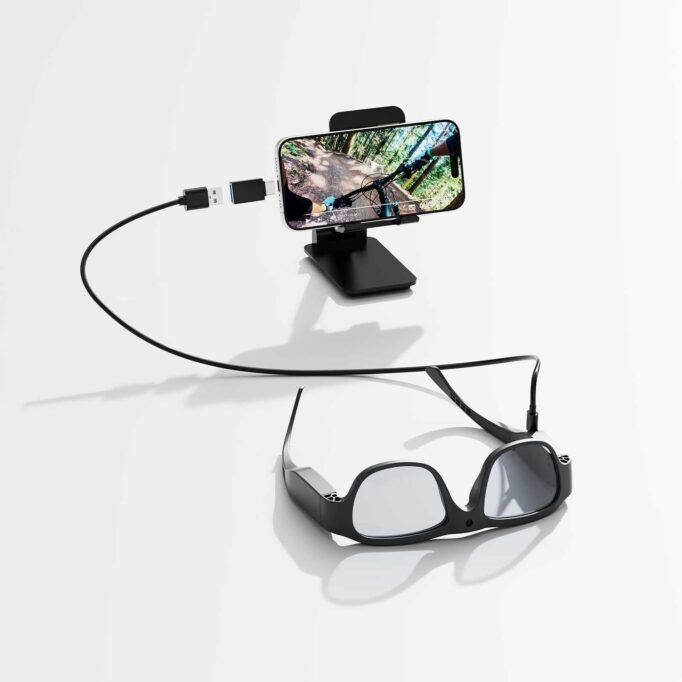
Wi-Fi Direct is the fastest option for bulk transfers. Within your companion app, navigate to the transfer or gallery section and select Wi-Fi sync. Your phone will connect directly to the glasses’ local network — no router required — and pull files at speeds that dwarf standard Bluetooth. Use this method after longer recording sessions when you have multiple clips to move. For quick, single-clip grabs, Bluetooth transfer is more convenient, though noticeably slower for larger files. Enable it from the app’s quick-access menu and select the specific clip you want rather than syncing everything at once.
Once files land on your phone, the companion app typically provides basic organizational tools: renaming clips, tagging by location or activity, and trimming footage before sharing. Take two minutes after each session to label your clips while context is fresh — this habit pays dividends when you’re searching through weeks of footage later. Most apps also support direct export to your phone’s native gallery, making the files immediately accessible to any third-party editing application you prefer.
For secure data syncing, enable automatic conflict resolution within the app settings so duplicate files don’t accumulate across devices. If your glasses support USB-C wired transfer as a fallback, keep that cable accessible for situations where wireless connectivity is unstable or unavailable.
Integrating with Cloud Storage and Social Media
Automating your media pipeline removes the manual effort entirely. Within the companion app’s settings, connect your preferred cloud service — Google Drive, Dropbox, or iCloud — and enable automatic upload when your phone is on Wi-Fi. This ensures every transferred clip is backed up without any additional steps. For social sharing, many apps include direct export pathways to Instagram, YouTube, and TikTok, letting you trim and post footage within minutes of capturing it. Configure your default export resolution to match each platform’s recommended specs, and your smart sunglasses effectively become a seamless content creation pipeline from capture to publish.
Power Solutions: Keeping Your Device Ready with Charge on the Go
Battery life is the silent constraint behind every smart sunglasses session, and building a reliable charge on-the-go strategy is what separates users who capture the moment from those who miss it. Most smart sunglasses offer between one and three hours of continuous recording — enough for a typical outing, but limiting during full-day adventures or travel days. The simplest solution is a compact portable power bank paired with your glasses’ charging cable. Slip a slim 5,000mAh bank into your bag and you can top up during transit, meal breaks, or any natural pause in activity without searching for an outlet.
To extend each charge further, develop a few practical habits. Disable Wi-Fi when you’re not actively transferring files, since wireless radios are among the heaviest battery consumers in any wearable device. Lower screen brightness on the companion app during outdoor use, and turn off the glasses entirely rather than leaving them in standby when you know recording won’t happen for an extended period. If your model supports a charging case — a battery-equipped carrying case that replenishes the glasses while stored — prioritize that accessory as your primary overnight charging method. It keeps the device protected and fully charged simultaneously, so your eyeglasses with built-in cameras are genuinely ready every morning without any extra steps.
Advanced Tips for Optimal Performance and Maintenance
Keeping your smart sunglasses performing at their best requires consistent, simple maintenance. Clean the lenses weekly using a microfiber cloth and lens-safe solution — never paper towels, which scratch coatings. Use a dry cotton swab to gently clear dust from the camera lens aperture, as even minor buildup noticeably degrades footage clarity. For firmware, check the companion app’s settings menu monthly and install available updates promptly; manufacturers regularly push improvements to stabilization algorithms, connectivity reliability, and battery efficiency. When connectivity drops occur, a full power cycle — turning the glasses completely off and back on — resolves most Bluetooth pairing issues without requiring a full re-pair. For persistent recording errors, clear the app’s cache through your phone’s application settings before attempting a factory reset. Store your glasses in their case when not in use to protect both lenses and camera components from dust and accidental impact, ensuring your device stays ready for the next session.
Smart Sunglasses as Your Ultimate Capture Tool
Smart sunglasses have genuinely earned their place as one of the most practical wearable innovations available to consumers today. As eyeglasses with built-in camera technology, they deliver something no smartphone or action camera can replicate: authentic, first-person footage captured exactly as you experience the world, without interrupting the moment itself.
Throughout this guide, we’ve covered every stage of the journey — from that critical first charge and Bluetooth pairing, through configuring resolution and frame rate for your specific activities, to mastering body positioning for stable hands-free recording across sports, travel, and everyday life. We explored wireless file transfer methods that eliminate friction between capture and sharing, cloud integration that automates your backup pipeline, and charge-on-the-go strategies that ensure your device never runs dry at the wrong moment. Routine maintenance and firmware updates round out a complete ownership approach that keeps your glasses performing at their peak long-term.
The transformative potential here extends beyond casual recording. For content creators, travelers, athletes, and anyone who values documenting life authentically, smart sunglasses — including options from Ohosunshine — represent a genuinely seamless technology that removes every barrier between experience and capture. The workflows and habits outlined in this guide are designed to make that potential immediately accessible. Put them into practice, and your smart sunglasses will quickly become one of the most effortless, indispensable tools you own.