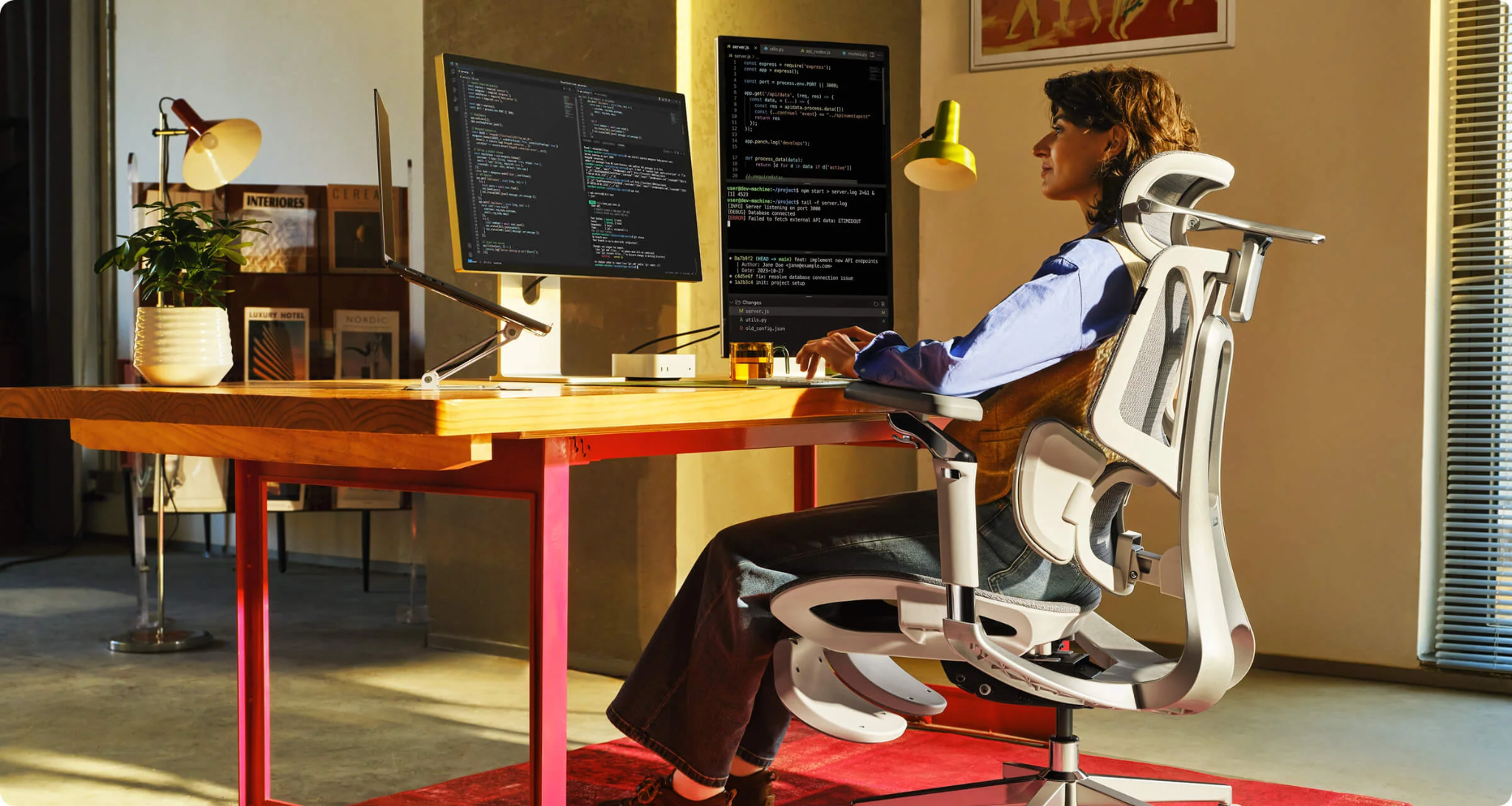
Long desk sessions often become uncomfortable in a predictable way. By the afternoon, your feet begin searching for somewhere to rest, your legs slide forward, and you keep shifting just to stay focused. An office chair with adjustable footrest can help by giving your lower body stable support when a standard seated position starts feeling restrictive.
The benefit is not simply “putting your feet up.” A correctly mounted footrest may support numerous sitting angles, relieve pressure behind the legs, and make reclining breaks feel more natural. Even short-statured users whose feet do not easily reach the ground after raising their chairs can benefit from this. When managing reports, creative projects, client calls, or game sessions, that little extra support can be the key difference between staying settled and constantly readjusting.
Why Do Long Desk Sessions Become Uncomfortable?
Your body is made to move, not to sit stationary for an entire workday. Even a comfortable chair will become uncomfortable if you stay in the same position for too long.
During focused work, people usually tilt forward, perch on the edge of their seat, cross their legs, or plant their feet twisted around the base of the chair. Such habits typically indicate that the workstation does not provide whole-body support.
Foot position matters because the feet help stabilize the lower body. OSHA recommends keeping the feet fully supported by the floor or a footrest when needed. It also warns that unsupported feet may encourage users to move forward in the chair, leaving the back without proper support.
How Does a Footrest Improve Sitting Comfort?
It Gives the Feet Stable Support
Once a chair is raised high enough to bring the elbows in line with a fixed desk, shorter users may no longer be able to keep both feet flat on the floor. A footrest fills that gap.
With stable foot support, it’s easier to sit back against the backrest rather than lean forward or perch on the edge of the seat. Cornell’s ergonomics guidelines similarly note that properly supporting both feet can help further support the seated posture.
It Can Ease Pressure Behind the Legs
When the seat is too high, pressure builds behind the knees and along the upper calves. Over time, this may lead to numbness, swelling, or general leg discomfort. OSHA suggests using a stable, adjustable footrest when the chair cannot be lowered, and notes that slightly lifting the feet may relieve pressure on the backs of the legs.
It Makes Position Changes Easier
One fixed posture is not the perfect posture for an eight-hour day. A better approach is to move among several supported positions.
Use an office chair with a footrest that adjusts. You sit up straight to type, lean back a little to read, and extend the support during a brief thinking session or video call. The chair supports the change instead of forcing you to balance your feet on a box or chair base.
OSHA recommends small chair adjustments, position changes, stretching, and periodic standing or walking. A footrest supports this variety, but it does not replace movement.
When Is an Office Chair With Adjustable Footrest Most Useful?
Not All Need a Built-in Footrest
That said, if your chair height is right for you, your feet are firmly placed on the ground, and most of your work is upright, you may not require one. Cornell’s guidance on chair selection similarly states that chairs should generally be height-adjusted so the feet can reach the floor without any additional support.
However, a footrest becomes more valuable when:
- Your desk is too high to use comfortably with the chair lowered.
- Your feet do not rest flat at the correct keyboard height.
- You alternate between typing, reading, meetings, and reclining.
- You prefer changing leg positions during long work sessions.
- You want integrated support instead of a separate floor accessory.
How Should You Adjust the Footrest Correctly?
Set the Active Working Position First
Before extending the footrest, adjust the chair for computer work:
- Set up the chair first for computer work, without the footrest extended.
- Sit back so your body rests fully against the backrest.
- Let your shoulders drop and elbows stay close to your sides.
- Avoid pressure behind the knees, and make sure the seat supports your thighs.
- Keep the monitor at a comfortable height so you can view it easily.
- Keep your feet supported by the floor or footrest.
For typing, the support should not push the knees too high or force the hips to roll backward.
Use Extension Mainly for Reclining
A pull-out leg rest works best when you lean back. If you extend it while sitting completely upright, it may move you too far from your desk or place your hips at an awkward angle.
Complete a short burst of focused work, lean back for a moment and extend the support temporarily, then retract it again to resume keyboard work closely.
Keep Moving
Do not treat any single setup as a permanent solution. Alternate between sitting upright, reclining slightly, stretching your legs, and standing or walking. As the saying goes: even the most comfortable position becomes the worst one if you hold it for too long.
What to Look for in a Footrest Chair
Don’t evaluate the chair based on the footrest alone. Evaluate the complete ergonomic system.
Adjustable Seat and Back Support
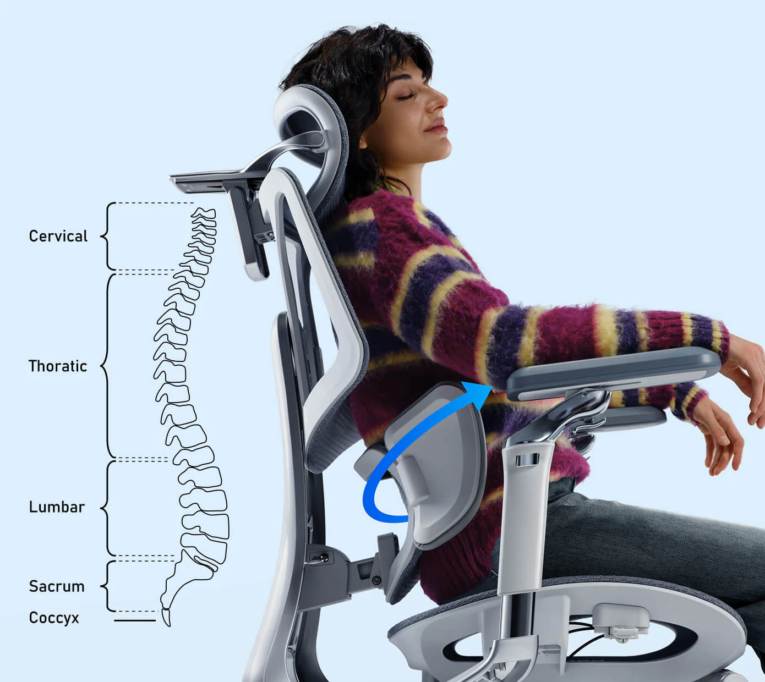
Suitable seat height and depth, lumbar support, and a backrest that stays supportive in more than one position.
Stable, Easy-to-Use Footrest
The support should slide or fold smoothly, feel secure under the legs, and retract without juddering or sudden jerks.
Coordinated Recline
The backrest, armrests, headrest, and footrest should go hand in hand. The neck, arms, back, and legs should be properly supported when reclined.
Breathable Materials
Breathable materials such as mesh can make a noticeable difference when sitting in a warm room, helping air circulate instead of trapping heat, which makes extended sitting much easier.
A Case in Point: The HBADA E3 Pro 2026 Edition
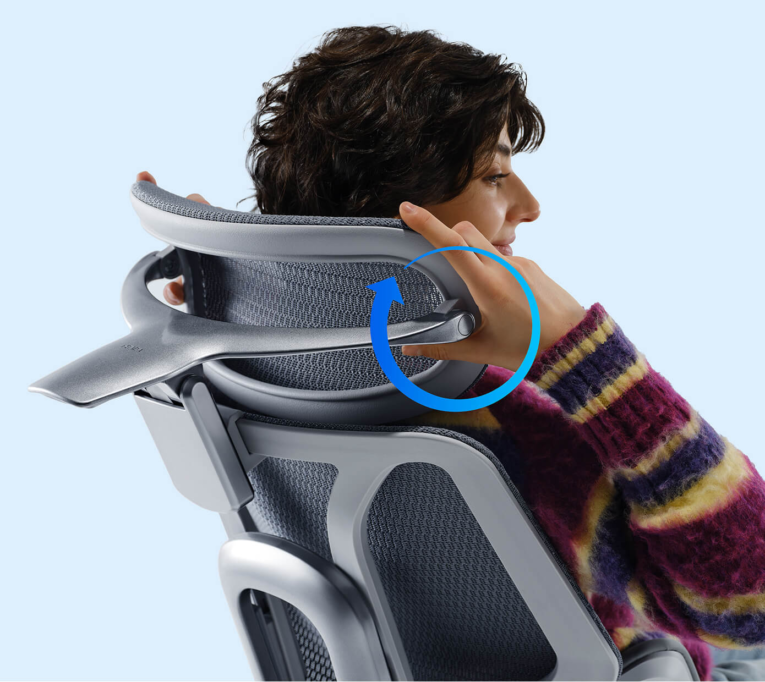
You can have the HBADA E3 Pro 2026 Edition with or without a footrest. Its official product page mentions a three-zone adaptive lumbar system, multi-directional armrests, an adjustable headrest, breathable seating, and a five-leg steel base.
It has a weight capacity of 330 pounds and is sized to fit users measuring between 5 feet 1 inch and 6 feet 5 inches.
For anyone comparing an office chair with an adjustable footrest, the key point is how this leg support fits into the larger adjustment system.
More relaxed positions are supported as well, but upright work comfort comes primarily from the chair itself, not from the footrest.
Refer to the E3 Pro 2026 product page for variants and detailed specs.
Common Footrest Mistakes to Avoid
Avoid these common problems:
- Raising the feet until the knees press toward the chest.
- Using a footrest to compensate for a seat that is too deep.
- Reclining while reaching forward for the keyboard.
- Leaving the support extended when it blocks safe movement.
- Assuming it removes the need for standing and walking.
- Ignoring lumbar, seat, and armrest fit.
Conclusion
An adjustable footrest supports the lower body when the floor can’t, reducing the tendency to perch forward or stay locked into one upright position, and making it easier to move between a casual, upright posture and a reclined one. The value doesn’t come from keeping your legs elevated all day — it comes from the adaptability.
Start with the right chair height, lumbar support, seat depth, armrest height and width, and monitor distance for optimum results. Then utilize the leg rest when performing specific tasks or during short breaks. Above all, keep switching positions and take breaks to move. A good chair helps you survive long desk sessions, but only if you engage with its adjustments.