Introduction
As businesses grow, traditional IT infrastructure often becomes more expensive to maintain, harder to scale, and less flexible in meeting evolving operational needs. Cloud computing for growing businesses provides a modern approach to managing applications, data, and IT resources, while cloud based application development enables organizations to build scalable, accessible, and high-performing applications that support business growth.
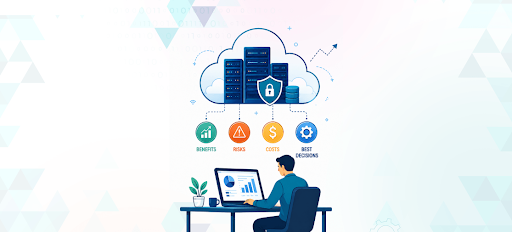
However, moving to the cloud is not without challenges. Businesses must carefully evaluate factors such as security, migration complexity, and ongoing costs before making the transition. This article explores the key benefits, potential risks, and costs of cloud computing to help businesses make informed decisions.
What is Cloud Computing?
Cloud computing is the delivery of IT resources-including servers, storage, networking, databases, software, and computing power-through cloud providers instead of relying entirely on on-premise infrastructure.
Rather than purchasing and maintaining expensive hardware, businesses can access cloud resources whenever needed and pay only for the services they use.
Cloud platforms generally offer three primary service models:
- Infrastructure as a Service (IaaS) provides virtual servers, storage, and networking resources.
- Platform as a Service (PaaS) offers a development environment for building and deploying applications.
- Software as a Service (SaaS) delivers ready-to-use software through a web browser.
Today, many organizations rely on cloud computing solutions for small business operations because they provide greater flexibility, lower maintenance requirements, and faster deployment than traditional infrastructure.
Key Benefits of Cloud Computing for Growing Businesses
1) Reduce IT Infrastructure Costs
Traditional IT infrastructure often requires significant upfront investment. Businesses may need to purchase servers, networking equipment, storage systems, backup hardware, software licences, and cooling systems. They may also need employees or external specialists to maintain this infrastructure.
Cloud computing can reduce the need for some of these investments. Businesses can access infrastructure and applications through flexible pricing models rather than purchasing every component in advance. This can make it easier for a growing company to adopt modern technology without building a complete data-centre environment.
2) Scale Resources as Your Business Grows
Scalability is one of the most important benefits of cloud computing for growing businesses. Cloud infrastructure can generally be adjusted as workloads and demand change. A business may add storage, processing capacity, users, or applications without purchasing and installing new physical equipment.
For example, an online retailer may require additional resources during a seasonal sales campaign. A cloud environment can help the company handle increased website traffic and transactions without permanently maintaining infrastructure designed only for peak demand.
3) Support Remote and Hybrid Teams
Remote and hybrid work have made access to business systems increasingly important. Employees may need to work from offices, homes, client locations, or while travelling.
Cloud-based solutions for small businesses can provide authorized users with access to applications and information from different locations.
4) Improve Backup and Business Continuity
Hardware failure, cyberattacks, power outages, and physical damage can interrupt business operations. If important data exists only on a local computer or office server, recovery may be slow or impossible.
Cloud services can support business continuity through automated backups, data replication, and disaster-recovery systems. Businesses can store copies of important data away from their primary office and establish procedures for restoring applications after an incident.
Risks Businesses Should Consider Before Moving to the Cloud
1) Migration Complexity
Moving applications and data to the cloud can be more complicated than expected. Older applications may depend on specific hardware, outdated databases, or systems that were not designed for internet-based access.
Migration challenges may include:
- Transferring large volumes of data.
- Maintaining data accuracy during transfer.
- Integrating cloud applications with existing systems.
- Managing temporary downtime.
- Updating older applications.
2) Data Security and Compliance
Cloud computing changes how security is managed, but it does not eliminate the business’s responsibility for protecting data. Cloud providers may secure the underlying infrastructure, while the customer remains responsible for user accounts, permissions, application settings, data, and internal processes.
Potential risks include:
- Weak passwords.
- Compromised user accounts.
- Misconfigured storage.
- Excessive access permissions.
- Phishing attacks.
3) Unexpected Cloud Spending
Cloud costs can increase when businesses do not monitor usage carefully. A company may create resources for testing, forget to remove them, or continue paying for storage and services that are no longer needed.
Common causes of unexpected cloud spending include:
- Unused virtual machines.
- Overprovisioned infrastructure.
- Duplicate testing environments.
- Uncontrolled storage growth.
Understanding the Costs of Cloud Computing
The cost of cloud computing varies depending on the cloud provider, the services used, and your business requirements. Small businesses may spend anywhere from $100 to $1,000+ per month for basic cloud infrastructure and business applications, while larger organizations with complex workloads can spend several thousand dollars each month.
In addition to ongoing usage costs, businesses should also budget for migration, implementation, security, and ongoing management to ensure a successful cloud environment.
1) Pay-as-You-Go Pricing
Many cloud providers offer usage-based or subscription-based pricing. Depending on the service, businesses may pay for processing capacity, storage, users, data transfer, database usage, or application features.
This model can provide flexibility because a company does not necessarily need to pay for all infrastructure in advance. However, monthly expenses may change as usage increases. Businesses should understand the provider’s pricing structure, minimum commitments, service limits, and additional charges before signing an agreement.
2) Management and Support Costs
Cloud environments still require ongoing management. Businesses may need support for:
- User and access management.
- Security monitoring.
- Performance monitoring.
- Backup administration.
- Software updates.
- Technical troubleshooting.
- Compliance reporting.
- Architecture improvements.
A company may handle these responsibilities internally or work with a cloud technology partner. The right option depends on the organization’s technical skills, workload complexity, and support requirements.
3) Optimization Costs
Cloud environments need regular optimization as business needs change. Optimization may include reviewing resource usage, improving application performance, updating architecture, controlling storage, and removing unnecessary services.
Although optimization requires time and expertise, it can help prevent waste and improve long-term value. Cloud cost management should be treated as an ongoing process rather than a one-time activity.
When is the Right Time to Move to the Cloud?
There is no single timeline that applies to every business. A company may need to consider cloud adoption when it experiences one or more of the following conditions:
- Aging servers or hardware.
- Increasing maintenance costs.
- Frequent system downtime.
- Rapid business growth.
- Limited storage or processing capacity.
Businesses should avoid moving to the cloud simply because it is a popular technology trend. The decision should be based on measurable goals, such as improving availability, reducing infrastructure complexity, supporting expansion, improving security, or enabling faster product development.
Best Practices for Successful Cloud Adoption
A structured approach can reduce migration risks and improve the value of cloud investment.
- Define business objectives: Decide whether the priority is scalability, cost control, remote access, resilience, performance, or faster application delivery.
- Assess current systems: Review applications, infrastructure, data, dependencies, security requirements, and performance limitations.
- Classify workloads: Identify which systems are suitable for immediate migration and which require redesign or further assessment.
- Start with a pilot: Begin with a low-risk workload to test security, integrations, performance, and user access.
- Plan security controls: Establish identity management, permissions, encryption, monitoring, and compliance procedures.
- Prepare employees: Train users and technical teams before new systems are introduced.
- Migrate in phases: A phased migration can reduce disruption and make it easier to identify issues.
- Monitor performance and costs: Review usage, availability, security alerts, and monthly spending after deployment.
- Improve continuously: Optimize applications and infrastructure as business requirements change.
Businesses can choose different migration approaches, including moving applications with minimal changes, making limited improvements, redesigning them for cloud environments, replacing them with cloud-based software, or retaining certain systems on-premise.
When to Work With a Cloud Partner
Many organizations begin their cloud journey internally but later realize that successful adoption requires specialized expertise.
A cloud partner can help assess existing infrastructure, develop a migration roadmap, optimize cloud architecture, strengthen security, and manage ongoing performance improvements.
This is particularly valuable for businesses planning complex migrations, developing cloud-native applications, or modernizing legacy systems without disrupting daily operations.
Conclusion
Cloud computing can help growing businesses improve scalability, flexibility, remote access, and business continuity. However, organizations should carefully evaluate security, migration complexity, and ongoing costs before making the transition.
With the right planning and reliable cloud migration services and solutions, businesses can adopt cloud technology in phases, manage potential risks, control expenses, and build a stronger foundation for long-term growth.