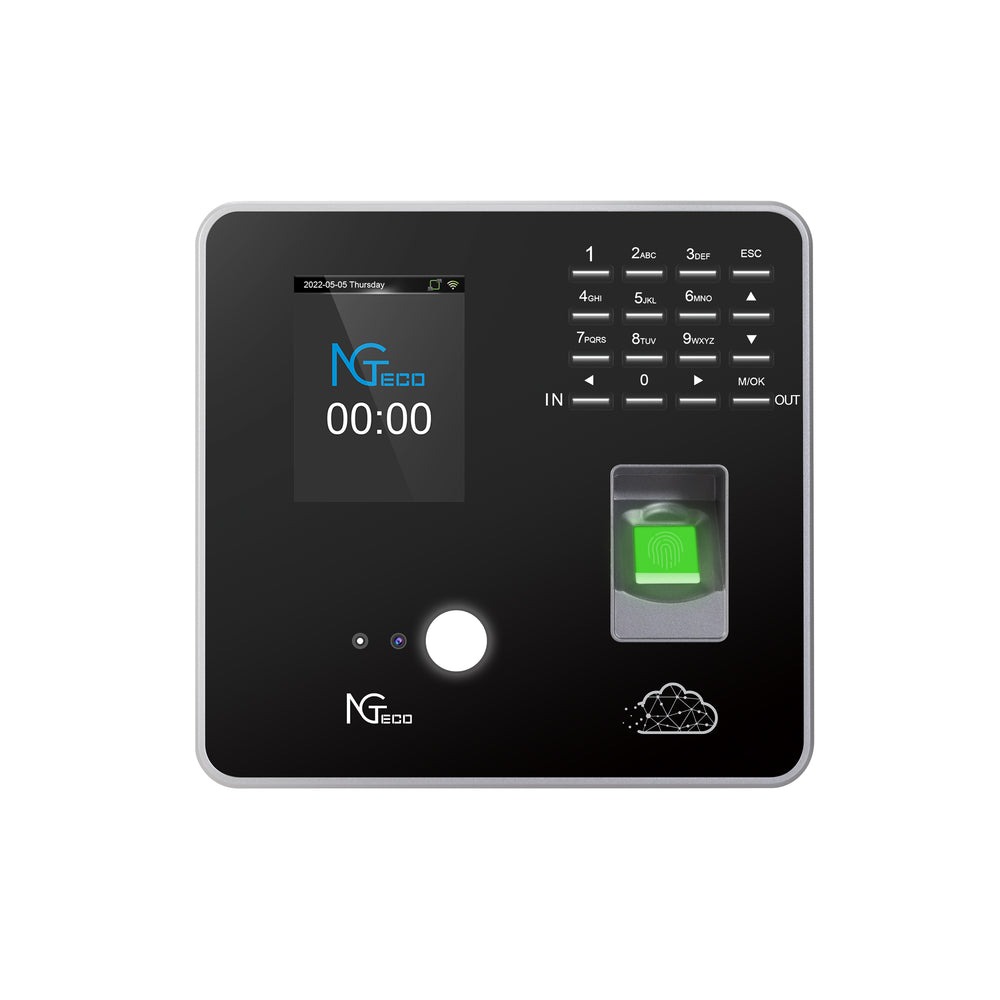
Managing a global workforce has never been more complex. With team members spread across continents, speaking different languages, and working in varied time zones, HR managers at small businesses face a unique set of challenges that enterprise companies solve by throwing money at expensive software subscriptions. But what happens when your budget doesn’t stretch to accommodate per-user monthly fees that balloon as your team grows? The search for a time clock for small business no monthly fee becomes not just a preference—it becomes a necessity for survival and scalability.
Here’s the question every HR manager at a growing international company should be asking: How can you track attendance accurately and fairly across different languages and time zones without inflating operational costs month after month? The answer lies in free multi-language time clock solutions designed specifically for businesses like yours—tools that combine robust functionality with zero recurring expenses. In this article, we’ll break down exactly what to look for, how to implement it, and the measurable benefits your organization stands to gain from making the switch.
The Challenge: Managing Attendance for a Global, Remote Workforce
Picture this scenario: your development team in Bangalore logs off just as your marketing crew in Berlin starts their day, while your customer support staff in Manila operates on a completely different schedule. As an HR manager at a small international business, you’re expected to track every clock-in, break, and overtime hour across these overlapping and non-overlapping shifts—often with a patchwork of spreadsheets, email confirmations, and honor-system reporting that leaves gaps wide enough to drive payroll errors through.
Time zone complexity alone creates significant administrative burden. When an employee in São Paulo works past midnight on a project, does that count as overtime for today or regular hours for tomorrow? Multiply that ambiguity across five or six time zones, and you have a recipe for disputes, inaccuracies, and frustrated team members who feel the system isn’t built for them.
Then there’s the language barrier—arguably the most underestimated challenge in attendance management. When your time tracking interface only supports English, you’re effectively asking non-native speakers to navigate a critical daily task in a language they may not fully understand. This leads to input errors, missed punches, and low adoption rates. Employees who struggle with the tool simply stop using it consistently, which defeats the entire purpose of having a system in place.
Traditional enterprise attendance software addresses these issues, but at a steep price. Most solutions charge per user per month, meaning a 50-person team across three countries could easily cost hundreds of dollars monthly before you even factor in implementation fees and premium support tiers. For small businesses operating on lean margins, these recurring costs are unsustainable—especially when the team is still growing and every new hire increases the software bill. What global small businesses actually need is a tool purpose-built for their reality: multilingual, timezone-aware, remote-friendly, and free from the weight of monthly subscriptions dragging down the budget.
What to Look For in a No-Monthly-Fee Time Clock Solution
Not all free time clock tools are created equal, and choosing the wrong one can create more problems than it solves. Before committing to any platform, HR managers need a clear framework for evaluation—one that accounts for the specific demands of a multilingual, distributed team. The ideal time clock for small business no monthly fee must deliver on four fronts: language accessibility, remote functionality, core attendance features, and a genuinely sustainable cost model.
Essential Feature #1: Robust Multi-Language Support
Multi-language support isn’t a nice-to-have—it’s the foundation of equitable attendance tracking for global teams. When evaluating tools, look beyond simple interface translations. True multi-language support means the entire user experience adapts: navigation labels, notification emails, help documentation, and error messages should all render in the employee’s preferred language. Pay attention to whether the system supports right-to-left languages like Arabic and Hebrew, since many tools claim multilingual capability but fail on script direction. Equally important are localized date and time formats—an employee in Japan expects year-month-day ordering, while someone in the United States reads month-day-year. These seemingly small details determine whether your team actually adopts the tool or abandons it after the first frustrating interaction. The best solutions allow administrators to set a default language per office or region while giving individual employees the freedom to override that selection based on personal preference.
Essential Feature #2: Cloud-Based Access for a Remote Workforce
A time clock that requires employees to be physically present at a terminal is useless for distributed teams. Cloud-based access means your team in any country can clock in from a browser or mobile app without VPN configurations or local server installations. Look for solutions offering dedicated mobile applications with offline capability—internet connectivity isn’t always reliable in every region where you operate. GPS stamping and IP-based verification add a layer of accountability without feeling invasive, allowing managers to confirm that clock-ins originate from expected locations. Real-time data syncing ensures that when your Manila team finishes their shift, their hours are immediately visible to HR in whichever time zone you operate from, eliminating the lag that causes end-of-period scrambles.
Essential Feature #3: Core Attendance & Reporting Software Functions
Sophisticated language support and cloud access mean nothing if the attendance software lacks fundamental tracking capabilities. Your tool must handle automated timesheet generation, configurable overtime rules that respect each country’s labor laws, and PTO accrual tracking with region-specific holiday calendars. Customizable reports are essential—you need the ability to filter by department, location, or individual, and export data in formats compatible with your payroll provider. Automation is where HR managers reclaim their time: look for features like automatic break deduction, shift reminders sent in the employee’s language, and flagging of anomalies such as missed punches or excessive overtime before they become payroll nightmares.
The Critical Factor: Truly No Recurring Fees
The phrase “free” requires scrutiny. Some tools offer a freemium model with generous limits that accommodate small teams permanently. Others operate on a one-time purchase basis where you pay once and own the software indefinitely. Hardware-based solutions from companies like NGteco combine physical time clock terminals with cloud software, offering a one-time hardware investment that eliminates ongoing subscription costs while providing multi-language interfaces suitable for global offices. Open-source options provide maximum flexibility but demand technical resources for setup and maintenance. When calculating total cost of ownership, factor in potential expenses like hosting fees for self-hosted solutions, costs for premium integrations, or charges that kick in once you exceed a user threshold. The right no-monthly-fee model for your business depends on your technical capacity and growth trajectory, but the budget benefit is clear: predictable costs that don’t scale linearly with every hire, freeing capital for the work that actually grows your business.
Implementing Your Free Multi-Language Time Clock: A Step-by-Step Guide
Knowing what to look for is only half the battle. The real value comes from executing a smooth implementation that gets buy-in from teams across every region you operate in. A poorly rolled out system—even a great one—will face resistance, low adoption, and ultimately fail to deliver the accuracy you need. Here’s how to move from evaluation to full deployment without the chaos.
Step 1: Assessment & Selection
Start by auditing your current attendance tracking process. Document every method currently in use—spreadsheets, email check-ins, existing software—and identify where breakdowns occur. Which regions report the most timesheet errors? Where do employees complain about usability? Next, compile a definitive list of languages your system must support from day one, including any you’ll need within the next 12 months as you expand. With these requirements in hand, shortlist three to four free tools that meet your criteria and run a two-week pilot test with a small group from each region. During testing, pay close attention to how non-English-speaking employees interact with the interface without assistance. Their unguided experience reveals more about true usability than any feature comparison chart. Gather structured feedback on navigation clarity, clock-in speed, and whether notifications arrived in the correct language.
Step 2: Configuration & Onboarding
Once you’ve selected your tool, invest time in proper configuration before inviting the full team. Set up your organizational structure—departments, locations, and reporting hierarchies—then configure attendance policies including overtime thresholds, break rules, and PTO allowances that align with each country’s labor regulations. Activate and test every language pack you’ll need, verifying that translations are accurate and culturally appropriate rather than machine-generated gibberish. Create onboarding materials—quick-start guides, short video walkthroughs, and FAQ documents—in each supported language. Avoid the common mistake of producing English materials first and translating later; instead, develop them simultaneously so every team launches with equal support. Assign a regional point of contact in each office or time zone who can answer questions in the local language during the first few weeks.
Step 3: Launch & Ongoing Management
Resist the urge to flip the switch for everyone simultaneously. A phased rollout—starting with your most tech-comfortable region, then expanding weekly—lets you catch configuration issues before they affect the entire organization. After each phase, collect feedback through brief surveys delivered in the employee’s preferred language, asking specifically about ease of clocking in, clarity of notifications, and any confusion around overtime or leave balances. Use the reporting features from day one: monitor punch completion rates by region, identify departments with high missed-punch rates, and address patterns quickly. Within the first month, schedule a review meeting with regional leads to discuss adoption metrics and refine policies. Ongoing management means treating your time clock data as a strategic asset—regularly reviewing reports to spot trends in absenteeism, overtime spikes, or scheduling inefficiencies that you can address proactively rather than reactively.
The Tangible Benefits for Your Global Small Business
When you successfully deploy a free multi-language time clock, the improvements ripple across every dimension of your operations. The most immediate win is accuracy—automated time tracking eliminates the manual data entry errors that plague spreadsheet-based systems. When employees clock in and out through a consistent digital interface in their own language, missed punches drop dramatically, overtime calculations become precise, and payroll discrepancies that once consumed hours of HR investigation simply disappear. For a 50-person global team, even a modest reduction in payroll errors can save thousands annually in overpayments and correction processing time.
The inclusivity factor carries weight beyond operational efficiency. When an employee in Jakarta opens their time clock and sees the interface rendered in Bahasa Indonesia—with familiar date formats, culturally appropriate notifications, and help resources they can actually read—it sends a clear message: this organization values their experience equally. That sense of equity translates directly into higher engagement, fewer support tickets, and stronger retention in regions where talent competition is fierce. Employees who feel seen by their company’s systems are employees who stay.
Cost savings from eliminating monthly subscription fees compound over time in ways that transform your budget flexibility. Instead of watching software expenses climb with each new hire, you maintain a flat cost structure that lets you reinvest in growth—whether that means hiring additional team members, expanding into new markets, or improving other operational tools. The productivity gains are equally substantial: HR managers who previously spent hours reconciling timesheets, chasing missing data across time zones, and manually generating reports now reclaim that time for strategic work like workforce planning and employee development. Streamlined attendance processes also give managers across every region real-time visibility into team availability, making scheduling decisions faster and reducing the coordination overhead that slows down globally distributed operations.
Building Equitable Global Attendance Tracking Without Subscription Costs
Managing a global workforce doesn’t have to mean choosing between accurate attendance tracking and financial sustainability. The challenges are real—time zone complexity, language barriers, and the constant pressure of subscription costs that grow with every new hire—but they’re solvable without enterprise-level budgets. The right free multi-language time clock addresses all three pillars simultaneously: it speaks your employees’ languages natively, it works seamlessly across borders and devices, and it does so without draining your budget month after month.
The path forward starts with honest evaluation. Audit your current process against the criteria outlined here—language coverage, cloud accessibility, core attendance features, and true cost transparency. If your existing system falls short on any of these fronts, you already know the friction it creates for your team and the hours it costs your HR department. A purpose-built solution exists that eliminates these gaps while respecting your financial constraints. By taking that first step toward implementation, you’re not just fixing an administrative problem—you’re building a workplace where every employee, whether they’re in Tokyo, Nairobi, or Toronto, experiences the same level of fairness, clarity, and respect in how their time is valued and recorded.