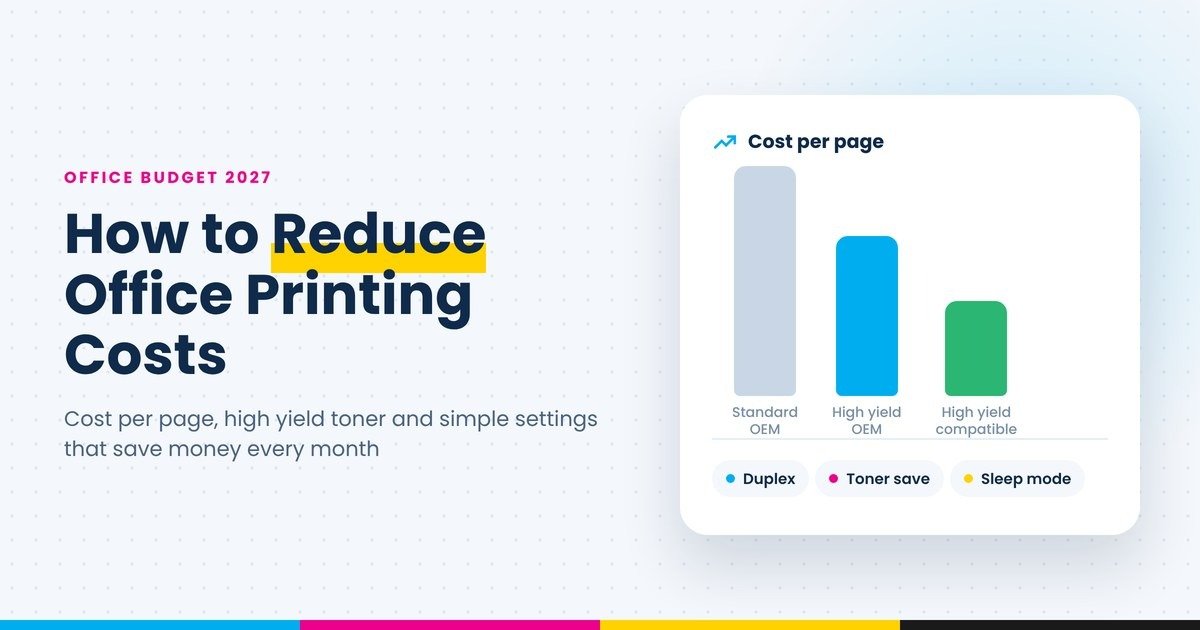
Quick answer: To reduce office printing costs, track your cost per page, switch to high yield or compatible toner, set duplex and draft mode as defaults, cut unnecessary prints, and keep printers in sleep mode. Most offices can lower printing spend without buying new printers.
Printing is one of those office costs nobody looks at until the budget review, and by then the money is already gone. Toner, paper, electricity and printer repairs add up quietly every month, and most teams have no idea what a single printed page actually costs them. If you are planning your 2027 budget right now, printing is one of the easiest places to save, because most of the fixes are simple setting changes and smarter buying. This guide explains how to calculate your real cost per page, which changes give the biggest savings, and how to build a printing budget that actually holds up.
What Is Cost Per Page and Why Does It Matter?
Cost per page is the total amount you spend to print one page, and it is the single most useful number for reducing office printing costs. It matters because the cartridge price on the shelf tells you very little. A cheap cartridge that prints few pages can cost more per page than an expensive one that prints thousands.
Cost per page = cartridge price ÷ rated page yield
According to the International Organization for Standardization (ISO), page yield for black-and-white laser toner is measured under ISO/IEC 19752, a standard updated in November 2025. This method gives every brand the same test conditions, which means you can compare cartridges fairly. I checked the standard’s scope, and it is clear that it measures yield only, not print quality, so yield is one part of cost per page and not the whole story.
| Cost Item | What It Includes | How Often You Pay |
| Toner | Cartridges and drum units | Every few weeks or months |
| Paper | Reams of plain and special paper | Weekly or monthly |
| Electricity | Power while printing and on standby | Every month |
| Maintenance | Repairs, fusers, rollers | When parts wear out |
| Waste | Reprints and unused prints | Every day, often unnoticed |
How Much Can High Yield Toner Save?
High yield cartridges hold more toner, so they print more pages and usually cost less per page. For example, according to HP’s official specification sheet, the HP 55X (CE255X) high-yield cartridge is rated at about 12,500 pages, while the standard 55A is rated at about 6,000 pages. That is roughly twice the pages, usually for much less than twice the price.
I compared both versions using the formula above, and the result is the same pattern you will see with most models: the high-yield version almost always wins on cost per page. If your office uses an HP LaserJet P3015, M521 or M525, a compatible HP 55X CE255X high yield toner gives you the same 12,500-page capacity at a lower price.
| Option | Upfront Cost | Pages Per Cartridge | Cost Per Page |
| Standard OEM | Medium | Lower | Highest |
| High yield OEM | Higher | About 2× | Lower |
| High yield compatible | Lower | Similar to OEM | Lowest in most cases |
Should You Switch to Compatible Toner?
Switching to compatible toner is often the biggest single saving, because compatible cartridges usually cost much less than original brand cartridges while giving a similar page yield. In the U.S., the Magnuson-Moss Warranty Act generally stops a printer maker from voiding your warranty only because you used a third-party cartridge.
The key is choosing a reliable supplier. Look for cartridges that state their page yield, follow ISO testing, and come with a clear warranty. Many offices buy compatible toner cartridges with a 2-year warranty for their everyday printers, and keep original cartridges only for special jobs if needed.
Which Printer Settings Cut Costs Right Away?
These changes take about 15 minutes per printer and start saving from the very next print job:
- Set duplex (double-sided) printing as the default. According to ENERGY STAR, the EPA’s energy efficiency program, certified printers come preset for double-sided printing, and keeping that setting on cuts paper use on multi-page documents.
- Use draft or toner save mode for internal documents, because it uses less toner per page.
- Default to black and white on color printers, and allow color only when someone chooses it.
- Keep sleep mode on. According to ENERGY STAR, certified imaging equipment can save up to 35 percent of energy compared with conventional equipment, and those savings depend on leaving the factory sleep settings switched on.
- Turn off banner and test pages that print automatically.
How Do You Reduce Unnecessary Printing?
Waste is the hidden cost, because every reprint and forgotten page uses toner, paper and power for nothing.
- Use secure or “pull” printing, where jobs print only when the user is at the printer. This stops forgotten prints in the tray.
- Share digital documents for meetings instead of printing a copy for every person.
- Set print quotas for departments with very high volume.
- Review print reports every 30 days to find the biggest users and the most common jobs.
Should You Replace Old Printers or Keep Them?
Not always. An older printer that still works well and uses affordable toner can be cheaper to keep than a new one. Replace a printer when repairs become frequent, when its cartridges are hard to find or very expensive per page, or when it lacks duplex printing. When you do buy, compare the cost per page of its cartridges before you compare the printer price, because toner costs usually add up to far more than the printer over its life.
How Do You Build a Printing Budget for 2027?
| Step | What to Do | Time Needed |
| 1. Count printers | List every printer, model and location | 1 hour |
| 2. Check volume | Pull page counts from each printer’s settings | 1 to 2 hours |
| 3. Calculate cost per page | Use cartridge price ÷ page yield | 1 hour |
| 4. Set a monthly target | Pages and cost per department | 30 minutes |
| 5. Plan purchases | Buy high yield cartridges in planned batches | 30 minutes |
| 6. Review | Compare actual spend with the budget | Every 3 months |
Buying cartridges in planned batches also protects you from running out at a busy moment and paying rush prices. Just don’t overbuy, because sealed toner is best used within about 2 to 3 years of storage.
Conclusion
Reducing office printing costs comes down to knowing your cost per page and fixing the few habits that waste the most. Switch to high yield or compatible toner, make duplex and draft mode the default, keep printers in sleep mode, and cut prints nobody needs. Then build your 2027 budget around real page counts instead of guesses. These changes take hours, not weeks, and the savings repeat every single month.
Frequently Asked Questions
Q1. What is the easiest way to reduce office printing costs?
Switch to high yield or compatible toner and make duplex printing the default. Both changes save money from the first week.
Q2. How do I calculate printing cost per page?
Divide the cartridge price by its rated page yield. Add paper and electricity if you want the full cost.
Q3. Does high yield toner really save money?
Usually yes. High yield cartridges print more pages, so the cost per page is lower even though the upfront price is higher.
Q4. Is compatible toner cheaper than original toner?
Yes, in most cases. Compatible toner from a reliable supplier usually costs much less per page with similar yield.
Q5. Will compatible toner void my printer warranty?
In the U.S., the Magnuson-Moss Warranty Act generally prevents a warranty from being voided just because you used third-party toner.
Q6. Does toner save mode reduce costs?
Yes. It uses less toner per page, which makes it useful for internal documents and drafts.