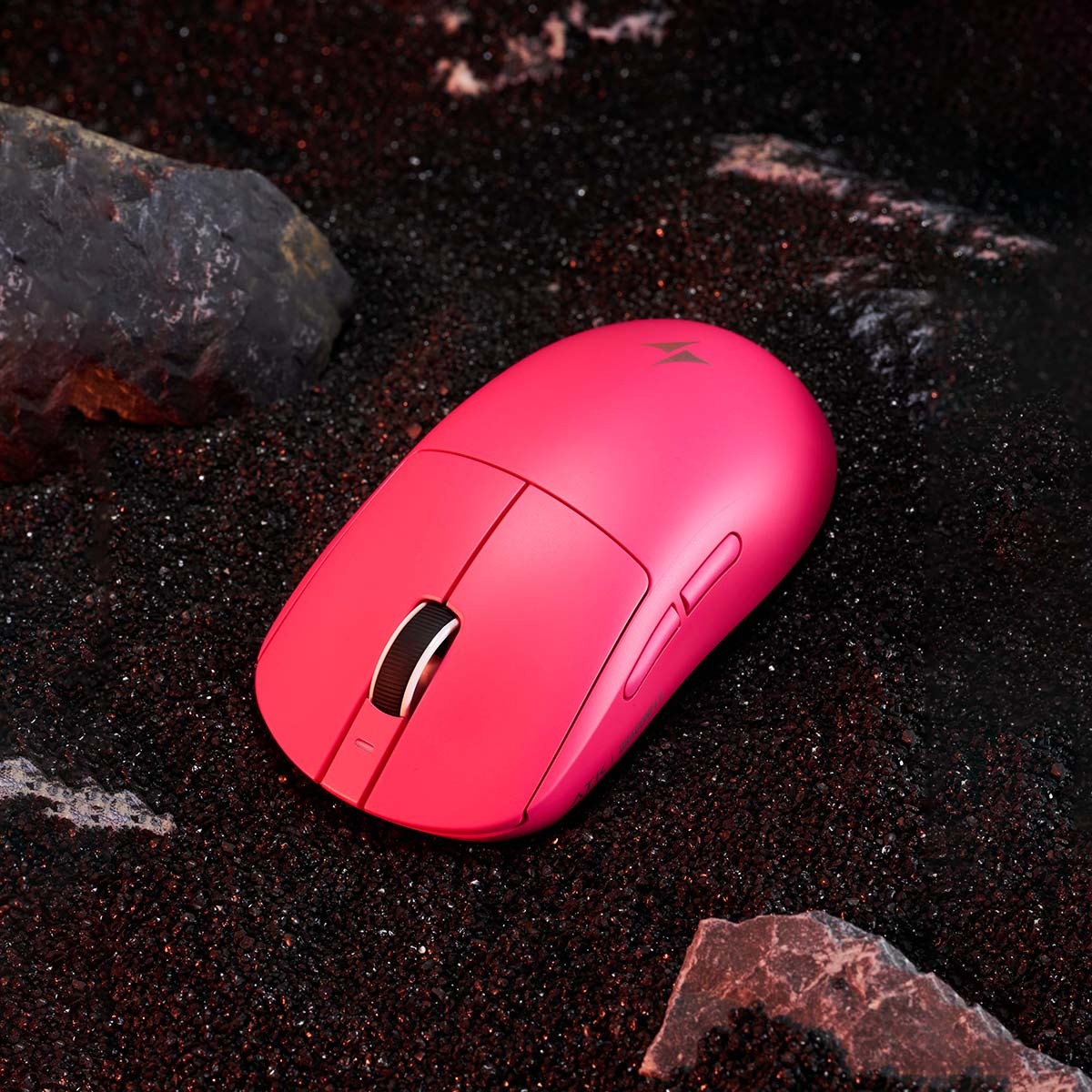
Every competitive gamer knows the sting of a missed headshot or a failed clutch play caused by something as avoidable as input lag. For years, that frustration kept serious players tethered to wired mice, unwilling to sacrifice even a millisecond of responsiveness for the convenience of going wireless. But the landscape has shifted dramatically. Modern wireless technology has closed the performance gap so thoroughly that many professional esports athletes now compete with wireless peripherals, trusting them in matches where thousands of dollars hang on split-second reactions.
The best wireless gaming mouse today delivers what once seemed impossible: the reliability and speed of a wired connection paired with unrestricted freedom of movement. This transformation is driven by advances in optical sensor technology, ultra-high DPI capabilities, aggressive polling rates, and ultra-light designs that keep your hand agile through marathon sessions. In this guide, we’ll break down exactly what makes a wireless gaming mouse worthy of competitive play, walk you through choosing the right one for your style, and highlight top models that deliver genuine precision without the cable. If you’re ready to cut the cord without cutting your performance, you’re in the right place.
Why Precision is Non-Negotiable for Competitive Gamers
In competitive gaming, the margin between victory and defeat is often measured in pixels and milliseconds. Whether you’re holding an angle in a tactical shooter, threading a skillshot in a MOBA, or tracking a strafing opponent in an arena FPS, your mouse is the direct translator between intention and action. When that translation falters — even slightly — the consequences are immediate and punishing. A crosshair that overshoots by a fraction, a flick that registers a beat too late, or tracking that stutters mid-spray can turn a winning engagement into a trip back to the respawn screen.
Professional players understand this intimately. At the highest levels of play, raw mechanical skill differences between competitors shrink considerably. What separates a top-ten finish from an early elimination often comes down to the consistency and reliability of a player’s setup. Input accuracy isn’t just about landing shots; it’s about building muscle memory you can trust. If your mouse introduces even subtle inconsistencies — whether from sensor jitter, wireless interference, or an uncomfortable shape that shifts your grip under pressure — your brain can never fully commit to the subconscious aiming patterns that define elite play.
This is precisely why the gaming mouse sits at the center of a competitive player’s toolkit. Your keyboard inputs are largely binary — a key is pressed or it isn’t — but mouse input is analog, continuous, and deeply nuanced. Every micro-adjustment, every wrist correction during a tracking duel, every snap to a new target demands a peripheral that responds with absolute fidelity. The right gaming mouse doesn’t just keep up with your reflexes; it becomes invisible, removing itself as a variable so that the only limiting factor in your performance is your own skill. That’s the standard competitive gamers should hold their equipment to, and it’s the standard the best wireless mice now meet.
Essential Features of the Best Wireless Gaming Mouse
The gap between wired and wireless gaming mice didn’t close by accident. It took a convergence of specific technologies, each addressing a different dimension of performance, to make cable-free gaming viable at the competitive level. Understanding these core features helps you distinguish a genuinely capable wireless gaming mouse from one that merely looks the part.
Optical Sensor: The Foundation of Accuracy
At the heart of every high-performance wireless gaming mouse sits an optical sensor — a tiny camera that photographs the surface beneath it thousands of times per second, then calculates movement based on changes between those frames. Unlike older laser sensors, which could introduce acceleration artifacts and struggled with consistency on certain surfaces, modern optical sensors deliver raw, unfiltered tracking that mirrors your hand movement with near-perfect fidelity. This matters because predictable, one-to-one tracking is what allows your muscle memory to develop and remain reliable over time. Leading optical sensors from manufacturers like PixArt and Razer’s in-house Focus series now track flawlessly across a wide range of surfaces, resist interference from dust and debris, and maintain accuracy even during the aggressive, high-speed swipes common in low-sensitivity FPS play.
High DPI: Enabling Fine-Tuned Sensitivity
DPI — dots per inch — determines how far your cursor moves on screen relative to physical mouse movement. A higher DPI setting means less hand movement is needed for large cursor shifts, while a lower DPI provides granular control for precise aiming. The best wireless gaming mice offer broad, adjustable DPI ranges that let you switch profiles on the fly, tailoring sensitivity to different scenarios. You might run a lower DPI for holding long sightlines in a tactical shooter, then bump it up for fast inventory management or navigating menus. What truly matters isn’t chasing the highest possible number but having reliable, consistent tracking at whatever DPI you choose — and the freedom to fine-tune in small increments until your sensitivity feels like second nature.
Polling Rate: Ensuring Real-Time Responsiveness
Polling rate defines how frequently your mouse reports its position to your computer, measured in hertz. A standard 1000Hz polling rate means the mouse communicates its location every single millisecond, which was long considered the gold standard. Now, several wireless mice push to 2000Hz or even 4000Hz, shrinking the reporting interval further and delivering noticeably smoother cursor movement in fast-paced scenarios. For competitive gamers, a higher polling rate reduces the tiny gap between physical input and on-screen response, making tracking feel more fluid and flick shots more precise. Critically, top wireless mice achieve these rates without introducing the instability or battery drain that plagued earlier attempts at high-frequency wireless communication.
Ultra-Light Design: Boosting Agility and Comfort
Weight directly affects how quickly and comfortably you can reposition your mouse during intense gameplay. An ultra-light design — typically under 70 grams — reduces the inertia your wrist and forearm must overcome with every swipe, flick, and micro-correction. This translates to faster target acquisition and significantly less fatigue during extended sessions, which is why lightweight construction has become a top priority for competitive players. Manufacturers achieve this through advanced shell materials like thin-wall polycarbonate, honeycomb structural designs, and compact battery solutions that trim grams without sacrificing build quality. Equally important is ergonomic shaping: a mouse that’s light but poorly contoured will still cause strain. The best options pair minimal weight with thoughtfully sculpted forms that support natural hand positions across palm, claw, and fingertip grip styles.
Step-by-Step Guide to Choosing Your Perfect Wireless Gaming Mouse
Finding the right wireless gaming mouse isn’t about chasing the most expensive option or blindly following a pro player’s setup. It’s about matching a mouse’s capabilities to your specific needs. Here’s a practical framework to guide your decision.
Start by honestly assessing your gaming style and precision demands. If you primarily play tactical shooters where every pixel matters, you’ll prioritize sensor accuracy and a lower, stable DPI setting. MOBA and RTS players might value programmable buttons and comfortable ergonomics for long sessions over raw flick speed. Knowing your genre and playstyle narrows the field immediately.
Next, evaluate the sensor technology. Opt for a modern optical sensor from a proven lineage — PixArt 3950-series or equivalent tier sensors deliver the flawless tracking competitive play demands. Avoid mice that rely on outdated laser sensors or budget optical chips that introduce smoothing or acceleration you can’t disable.
Then examine the DPI range and adjustability. You want a mouse that lets you set your preferred sensitivity in fine increments, ideally through dedicated software, and switch between profiles instantly. The ability to land on your exact comfort zone — not just a preset close to it — makes a tangible difference in building reliable muscle memory.
Consider the polling rate carefully. A 1000Hz baseline is essential; anything below introduces perceptible lag in fast scenarios. If your system can handle it, mice offering 2000Hz or 4000Hz wireless polling provide a genuine edge in tracking smoothness, particularly on high-refresh-rate monitors where every frame counts.
Prioritize weight and ergonomic fit together, not separately. Hold the mouse if possible, or research its dimensions and shape profile relative to your hand size and grip style. A 60-gram mouse with a shape that forces you to adjust your grip constantly will perform worse in practice than a 75-gram mouse that fits your hand naturally.
Finally, factor in battery life and connectivity reliability. A mouse that dies mid-match or requires constant recharging disrupts your flow. Look for models offering at least 60 hours of wireless gameplay on a single charge, and verify they use a dedicated low-latency wireless dongle rather than relying solely on Bluetooth, which introduces unacceptable delay for competitive use.
Top Recommendations: Wireless Gaming Mice for Precision and Lightweight Performance
With so many options on the market, a few wireless gaming mice consistently stand out for delivering the complete competitive package — flawless optical sensors, responsive polling rates, adjustable DPI, and ultra-light builds that feel effortless in hand. The Razer DeathAdder V3 Pro remains a favorite among FPS players, pairing Razer’s Focus Pro optical sensor with a refined ergonomic shape that suits medium-to-large hands in palm and relaxed claw grips. Its weight sits comfortably in the ultra-light category, and the dedicated HyperSpeed wireless dongle ensures lag-free communication even in crowded RF environments.
For players who prefer a symmetrical ambidextrous design, the Logitech G Pro X Superlight 2 continues to set the benchmark. It combines Logitech’s HERO 2 optical sensor with a 4000Hz polling rate option through its Lightspeed wireless protocol, delivering some of the smoothest tracking available in a wireless mouse. The shell is remarkably light without resorting to honeycomb cutouts, maintaining a clean, solid feel. Meanwhile, the Pulsar X2 has earned a devoted following in the competitive community for its compact, low-profile shape that excels with fingertip and claw grips, backed by a top-tier PixArt optical sensor and weight that dips well below 60 grams.
The SteelSeries Aerox 5 Wireless appeals to versatile gamers who want extra programmable buttons without the weight penalty, using a honeycomb design to stay light while offering macro-friendly inputs for MOBA and MMO play. Newer entrants like ATK Gear have also been gaining traction among competitive players by focusing on ultra-light builds with high-end sensor implementations at compelling price points. Each of these mice addresses competitive precision from a slightly different angle, so the best choice ultimately depends on your grip style, hand size, and the genres you play most. Cross-reference their sensor generation, polling rate capability, weight, and shape profile against the criteria outlined earlier to find the model that genuinely fits your game.
Finding Your Ideal Wireless Gaming Mouse for Competitive Play
Choosing the right wireless gaming mouse is no longer about compromising between freedom and performance — it’s about finding the model that aligns perfectly with how you play. The technologies that matter most are clear: a modern optical sensor provides the foundation of reliable, one-to-one tracking that your muscle memory depends on, while adjustable high DPI settings let you dial in sensitivity with surgical precision across every game you play. A competitive polling rate eliminates the micro-delays that separate clean shots from near misses, and an ultra-light design keeps your hand quick, responsive, and comfortable through hours of intense gameplay.
Use the framework in this guide to cut through marketing noise and focus on what genuinely impacts your performance. Assess your grip style, match it to the right shape, verify the sensor and polling rate meet competitive standards, and confirm the weight feels natural in your hand. The best wireless gaming mouse won’t magically make you a better player, but it will remove every equipment-related barrier standing between your skill and your results. When your mouse disappears from your awareness and all that’s left is pure intention translating to on-screen action, you’ve found the right one. That’s when real gaming mastery begins.