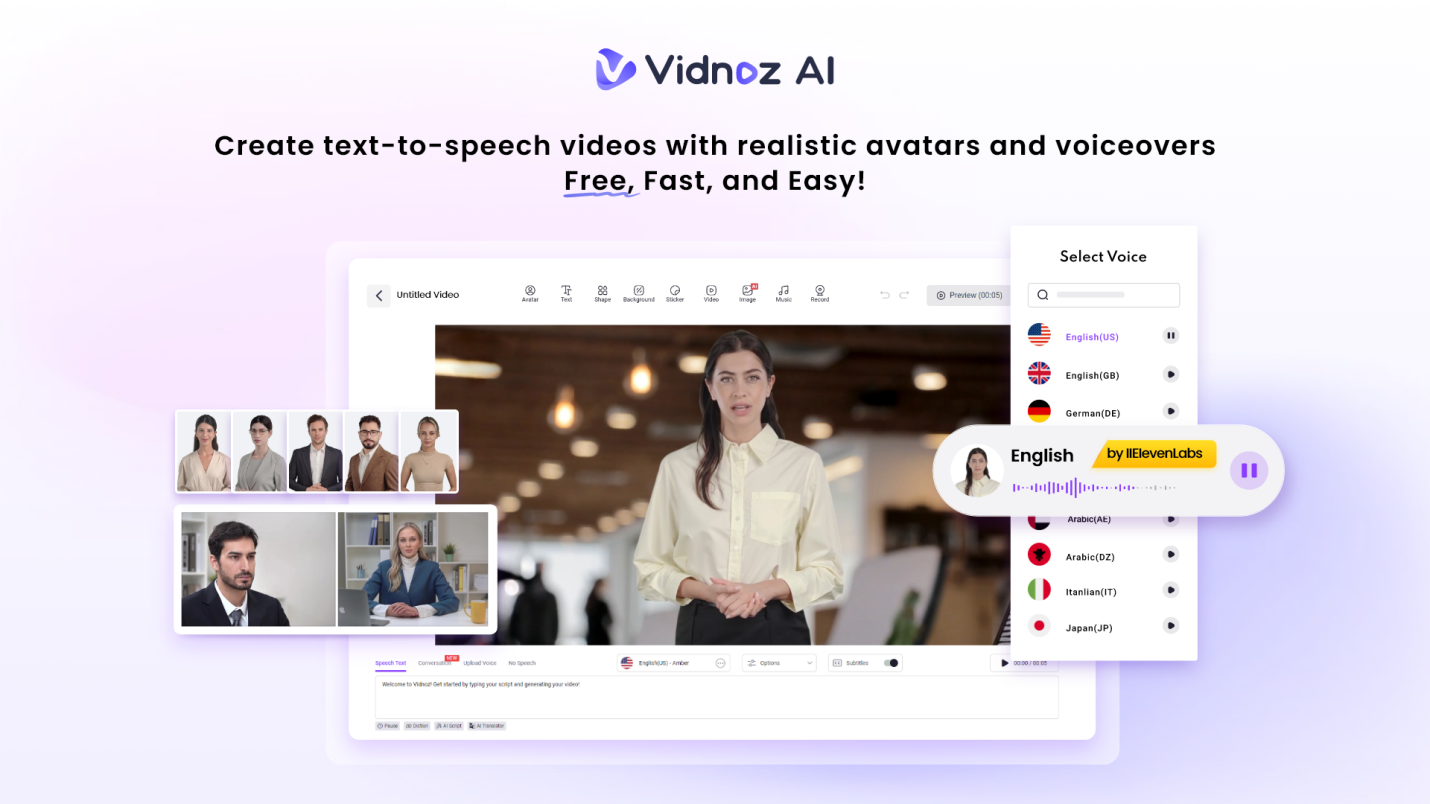
Video content is among the most effective methods to exchange ideas, illustrate things, and get in touch with individuals online. Videos make you communicate clearly whether you are a business owner, teacher, marketer or creator. The use of AI video tools is a wonderful alternative to the usual video making such as Vidnoz AI.
Vidnoz AI will allow you to make professional videos with only text, templates, and digital avatars. You do not need to film and edit manually but to concentrate on what you want to communicate. The platform will take care of the images, voice and the flow of the video. This tutorial will demonstrate how Vidnoz AI can assist you to create powerful videos with ease.
Why Vidnoz AI Is Different for Making AI Videos?
Many AI video tools only focus on one thing, like avatars or voiceovers. Vidnoz AI combines all these features in one easy-to-use place, making video creation simple and smooth. You don’t need to hire presenters, record your voice, or learn tricky editing software.
- You can use Vidnoz AI to make marketing videos, training materials, company messages, or social media clips. With a big selection of voices, avatars, and templates, you can create videos that fit your needs while keeping a consistent look and feel.
- Vidnoz AI is an online tool made for people who want fast and reliable video creation. It has a strong security certificate called ISO/IEC 27001:2022. The platform follows tough international rules to protect your information. This means all your data and projects are kept safe and private.
If you are working with sensitive info like training materials or company videos, you can trust Vidnoz AI to keep everything secure. Plus, the platform is easy to use which makes it perfect for beginners and pros alike.
Lots of Realistic AI Voices with Lip Sync
Vidnoz AI has over 2,000 natural-sounding AI voices that match the avatar’s lip movements perfectly. You can pick voices by language, tone, or style, making your videos easy to understand for people everywhere. This is great for explaining things clearly in training, tutorials, or product demos.
Ready-to-Use Templates for Quick Video Making
With more than 2,800 templates, you don’t have to start from scratch. There are templates for education, business updates, product guides, social media, and more. Many support different languages. So, you can reach audiences around the world. Each template has layouts and spots for text and visuals to make creating videos simple.
Free Daily Video Creation for Short Projects
You can make up to 2 minutes of video every day for free. This is perfect for trying out ideas, sharing quick updates, or learning how Vidnoz AI works. It is a great way to create content without rushing or paying right away.
AI Avatars Made for Real-Life Use
Vidnoz AI offers over 1,900 avatars from many industries and roles like doctors, teachers, hosts, customer support reps, students, chefs, and more. You can pick the best avatar to fit your video’s topic and audience.
- Avatar Lite
Avatar Lite is for quick videos. It is easy to set up with simple backgrounds and ready-made avatar styles. Perfect for short announcements or basic explainers, it saves time while keeping your videos looking clean and professional.
- Custom Avatar Pro
Custom Avatar Pro lets you change backgrounds, layouts, and visuals to better match your brand or style. It is great if you want to add variety but still keep your videos consistent and easy to make.
- Motion Avatars
Motion Avatars add full-body movements like gestures, changes in posture, and facial expressions. They move naturally while talking which is making your videos more fun and interesting. You can also create cartoon-style videos with these avatars.
It works well for learning, storytelling, or social media posts that need extra energy.
5 Easy Steps to Make Videos with Vidnoz AI
Sign Up and Open Your Workspace
Create an account or log in to Vidnoz AI. Your dashboard shows templates, avatars, voice options, and saved projects all in one place. You can explore everything first. So, getting started feels easy and stress-free.
Choose a Template or Avatar
Pick a template that fits what you want to create or start by choosing an avatar. Use filters to find the right role, language, or video type. Using similar templates or avatars in your videos helps to keep your brand looking consistent.
Add Your Script and Pick a Voice
Type or paste your script into the editor. Choose an AI voice that fits the tone of your message. You can also adjust where the text appears, change backgrounds, and set how scenes flow to make your message clear.
Watch and Tweak Your Video
Preview your video to see how the timing, speech, and avatar movements look. Making small changes like shortening sentences or adjusting spacing can make your video easier to understand. Checking before finalizing helps to avoid mistakes.
Create and Share Your Video
When you are happy with it, create the final video. You can download it or share it online. Use your video on websites, learning platforms, internal tools, or social media. You can even share the same video on different platforms to save time.
Easy Tips for Making Better AI Videos
Start with clear and simple writing to make great AI videos. Use short sentences because AI voices read them more smoothly. This is making your message sound natural.
- Break your content into smaller pieces instead of cramming too much info into one part. This helps people follow along without getting confused and keeps their attention from beginning to end.
- Keeping things consistent is important too. Use the same avatar, voice, and layout in videos that go together. This helps your audience recognize your content and builds trust over time.
- Before you share your video, watch it carefully. Check how it looks and sounds on both a computer and a phone. This way, you can catch if the text is too small or the audio is not clear.
Fixing little things like this makes your video look more professional and easier for people to enjoy.
Final Thoughts
Vidnoz AI makes creating videos easy by eliminating the need to film, record, or edit. You can feel safe while working on your content with strong data protection. It offers a big selection of avatars, voices, and templates to fit many video needs without any technical hassle.
Anyone can make clear and consistent AI videos that get their message across by following simple steps and using these tools well.