In 2025, the IRS collected billions of dollars in payroll fines, and a huge percentage of those fines came from small business owners who recalculated the FICA. I have seen HR managers spend whole afternoons going back and forth between spreadsheets, sure they have the right numbers, only to be shocked by a Form 941 variance. A payroll calculator does not necessarily simply apply numbers. It imposes the Federal Insurance Contributions Act without flexibility for any mistakes in wage caps, rounding off, or a gap between the matching employer and the employee. Here is the reason why you should stop doing FICA tax manually in 2026.
What Is FICA Tax and What Is Its Purpose?
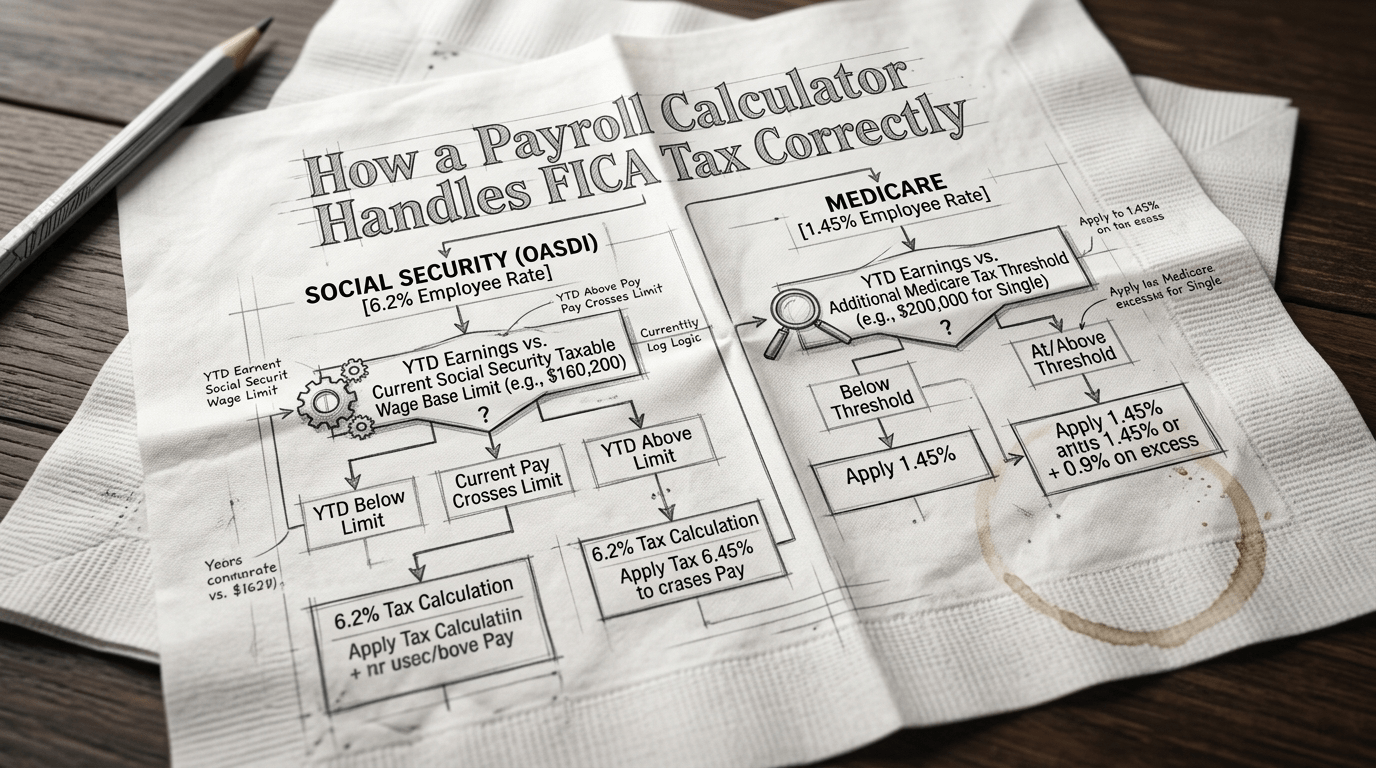
FICA is used to finance two federal programs, Social Security and Medicare, in the form of mandatory contributions obligatory to both employers and employees. In 2026, the contribution rate to both plans amounts to 7.65% of gross wages: 6.2% to Social Security (OASDI) and 1.45% to Medicare. That would be 15.3%, on top of compensation before federal income tax is mentioned at all.
There is a limit on the amount of contributions to the Social Security part, which is $176,100 in 2026 and is modified by the Social Security Administration each year to reflect the National Average Wage Index. Medicare has no cap. It works continuously, regardless of the level of paycheck.
Simple in theory. Brutal in practice.
Why Can Businesses No Longer Rely on Manual FICA Calculations?
This is the point– 10 years ago, manual payroll was only barely acceptable. It has additional Medicare tax thresholds and mid-year wage cap cutoffs, with at least 20 that are larger than those of IRS deposit deadlines that vary by the size of the employer, and the margin of human error is close to zero because of the 2026 deadline.
A calculator for payroll bridges that gap by dealing with:
- Gross pay isolation compares taxable federal income received by FICA with taxable deductions such as 401(k) and HSA contributions that cut income tax and do not cut FICA tax.
- The dual-rate application applies the 6.2% rate of Social Security and the 1.45% Medicare rate individually and not blended.
- Wage-based tracking prevents Social Security withholding as long as YTD earnings reach $176,100, mid-paycheck, as necessary.
- Generation by the employer match—efforts to increase the employee contribution in the absence of manual input.
- Deposit timing synchronizes remittance of money with IRS semiweekly or monthly deposit requirements, depending on your lookback.
Any of those steps omitted by hand, and you face penalties ranging between 2% of unpaid deposits and 15% following the initial IRS notice.
How Does a Payroll Calculator Compute FICA Tax Step by Step?
Take an employee who is grossing $5,000 in this period.
Step 1—Identify FICA wages. Pre-tax deductions lower the federal or federal income tax obligation against the FICA obligation. The calculator separates out the right taxable base initially.
Step 2—Social Security. Distinctly, the amount paid by the employee based on their earnings through Social Security is as follows: $5000 x 6.2% = $310. Another $310 employer match.
Step 3—Use Medicare. $5,000 x 1.45% = $72.50 by the employee. Employer adds $72.50 more.
Step 4—Check the wage base. Social security withholding automatically ceases when cumulative 2026 earnings extend to surpass $176,100. Medicare keeps running.
Step 5—Flagging of the Additional Medicare Tax. When the amount the employee earns out of your business alone is more than $200,000, the calculator will start withholding an additional 0.9% from the employee– whether or not the household is required to file a tax return.
The five steps occur in real time and in each pay run, without the need for anyone to push a button.
What Does a Payroll Calculator Do for Complex FICA Cases?
Self-employed individuals work under the Self-Employment Contributions Act (SECA)—they pay the entire 15.3% themselves, but are allowed to claim half of what is equivalent to the employer in the filing of Schedule SE. An automated calculator created by freelancers can use this.
FICA exemptions further complicate it. This may apply to students working at their school, students with a non-resident alien visa (F-1 or J-1), and students in qualifying religious groups or those who submit an IRS Form 4029. HR teams are always misusing these. According to a 2026 SHRM compliance survey, 34% of small business HR teams had incorrectly applied at least a single FICA exemption in the previous year.
A payroll computing device does not make an estimate. It avoids exemption requests depending on employee information input during onboarding.
Employer Match and What’s Actually at Stake
| FICA Component | Employee | Employer | Total | 2026 Wage Cap |
| Social Security | 6.2% | 6.2% | 12.4% | $176,100 |
| Medicare | 1.45% | 1.45% | 2.9% | No cap |
| Additional Medicare Tax | 0.9% | 0% | 0.9% | Over $200K |
The employer match is not optional generosity; it is a law that is imposed by the Teen Trust Fund Recovery Penalty (TFRP). FICA can be imposed personally upon business owners and payroll officers, even in the event of corporate bankruptcy. That’s not a technicality. That’s real exposure.
Nathan Hirsch is the founder of EcomBalance and says, “The most shocking cash flow event that occurs with small businesses is a surprise IRS penalty on late FICA deposits. Auto that on the first day of the deposit process.”
What Do You Expect in a FICA-Ready Payroll Calculator?
Not all tools are equal. The non-negotiables in 2026:
- Automatic updating of wage bases—the SSA issues new amounts annually in November; your app should update them incidentally.
- Form 941 pre-population—quarterly is supposed to be pulled by the payroll run data.
- Audit trail traces—all the calculations, modifications, and corrections that can be traced by time.
- Multi-state support—remote work teams require that state tax be on top of FICA, rather than merely federal mathematics.
Is a Payroll Calculator Worth It?
Let’s be real — the math itself isn’t hard. 6.2% plus 1.45% matched, tracked, and deposited. That’s it. But throw in mid-year hires, exempt employees, high earners triggering the additional Medicare tax, and an IRS that charges penalties on a sliding scale, and “simple” becomes an “expensive mistake waiting to happen.”
A payroll calculator would cost a couple of dollars per employee on a monthly basis. Overdue FICA deposits to the IRS can include a penalty of 15% of the amount you owe, not excluding interest. The calculus of such a move is simple.
Try a payroll calculator, “Salary-calculator.ai,” today. Run your last three payroll periods through it. See what it catches. Accuracy now is always cheaper than corrections later.
FAQs:
Q: What is the FICA tax rate in 2026?
The combined rate is 15.3% — 7.65% from the employee (6.2% Social Security + 1.45% Medicare) and 7.65% matched by the employer.
Q: What is the 2026 Social Security wage base?
$176,100. Earnings above this amount are not subject to the 6.2% Social Security tax, though Medicare continues with no cap.
Q: Does a payroll calculator handle the additional Medicare tax automatically?
Yes. Once an employee’s wages from your business exceed $200,000, compliant payroll platforms begin withholding the extra 0.9% automatically.
Q: Can an employer be personally liable for unpaid FICA?
Yes—the IRS Trust Fund Recovery Penalty allows collection from individual owners or officers with payroll authority, even after bankruptcy.
Q: Are self-employed workers subject to FICA?
No — they pay under SECA at the same 15.3% combined rate but can deduct the employer-equivalent half on their federal return.