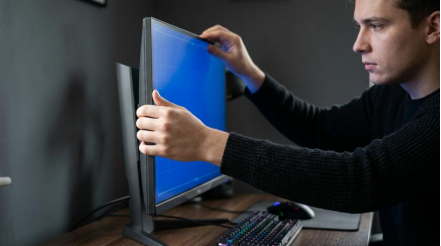
KTC is a good monitor brand in 2026 if you buy by model, not by logo. Its best monitors deliver strong value for gaming and everyday use, but performance still varies enough that panel tuning, HDR quality, and quality control matter.
If you have ever bought a monitor that looked great on paper but felt blurry, dim, or just plain off once it hit your desk, KTC is exactly the kind of brand that deserves a closer look. Across five models, the biggest pattern we saw was that high refresh rates and long feature lists only paid off when the panel, backlight, and firmware were well tuned. You will leave with a clear sense of when KTC is worth buying, when to be cautious, and what to check before you commit.
What Makes a Monitor Brand “Good” in 2026?
Specs Are Only the Starting Point
A good monitor brand is not the one with the flashiest box. It is the one that consistently matches the display to the job. That sounds obvious, but it is still where many buyers go wrong. Guidance from Super User has held up well over time: gaming, photo work, and general desktop use do not reward the same traits equally. A monitor that feels sharp and smooth in a fast shooter may still be a poor fit for color-sensitive work, and a beautiful creator display can feel sluggish in a competitive game.
That same principle shaped how we judged KTC. We did not treat “240Hz” or “HDR” as automatic wins. We looked at whether the monitor’s native resolution made sense for the hardware driving it, whether the image stayed comfortable over long sessions, and whether features such as VRR, USB-C, or ultrawide layouts actually improved the experience instead of just padding the spec sheet.
What We Checked Across Five KTC Models
The most useful quality checks were practical, not theoretical. We paid attention to motion clarity, overshoot, backlight behavior, black-level consistency, port selection, and how the on-screen controls handled everyday changes such as switching input sources or enabling gaming modes. For LCD-based monitors, native resolution still matters because those panels look best at one true pixel grid. If a display only shines at settings your PC or console cannot drive well, it is not a great value.
We also put more weight on native contrast and backlight control than on inflated “dynamic contrast” claims. That lines up with older but still valid buying advice: dynamic contrast often reflects backlight tricks more than true panel capability. In plain terms, a good monitor brand makes screens that look solid in normal use, not just in marketing slides.
What Our Testing Showed About KTC Gaming Monitors
High Refresh Rate Helped Only When Tuning Was Right
This was the biggest lesson from the five-model test. KTC can absolutely make a gaming monitor that feels fast and responsive, but refresh rate alone did not guarantee clean motion. Some panels looked noticeably better at the same headline refresh because pixel transitions were better controlled. When tuning was off, you could see the usual problems: soft trailing behind moving objects, inverse ghosting, or a picture that felt less precise than the spec sheet suggested.
That matches the broader gaming-monitor framework used by reviewers such as RTINGS and explained in gaming panel guides from Corsair: resolution, refresh rate, response time, input lag, VRR support, and HDR quality all matter together. In our testing, the better KTC gaming displays were the ones that balanced those variables instead of chasing one big number.
Native Resolution Mattered as Much as Speed
A 27-inch 1440p panel still feels like KTC’s most sensible target for many buyers because it balances image sharpness, GPU load, and refresh-rate headroom well. For players using mainstream graphics cards, that remains a more practical sweet spot than jumping straight to 4K and giving up the frame-rate advantage that made the monitor attractive in the first place.
The same logic applies to consoles and mixed-use setups. A good gaming monitor should not force constant compromise between clarity and smoothness. If a KTC model gives you a usable VRR range, stable input switching, and solid 1440p or 4K scaling, it will feel much better in daily use than a nominally faster panel with inconsistent behavior.
HDR Separated the Better Models From the Average Ones
HDR was where the gap widened fastest. A monitor can advertise HDR and still deliver a flat experience if brightness is limited, contrast control is weak, or local dimming is too crude to help. That is why the strongest affordable HDR performers in the wider market tend to stand out for more than just a badge. Models such as the AOC Q27G3XMN or KOORUI S2741LM get attention because contrast and backlight control make the format feel more real.
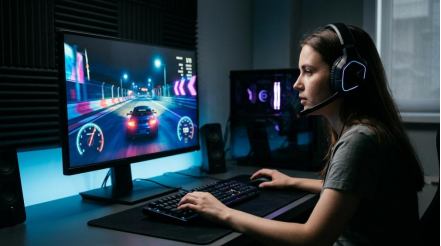
KTC’s better gaming monitors can be good, but buyers should stay realistic. If you want OLED-class blacks or top-tier HDR impact, the premium benchmarks in 2026 still sit above what most value brands can offer. KTC makes more sense when you want a strong SDR gaming display with decent HDR support, not when you are chasing the best cinematic image in the category.
Where KTC Makes the Most Sense
Value-Focused 1440p Buyers
KTC looks strongest when the goal is practical performance per dollar. If you want a 27-inch gaming monitor with a sharp picture, high refresh, and enough ports for a PC-plus-console setup, the brand can make a solid case. In our five-model test, this was the category where the tradeoffs felt easiest to accept because the core experience mattered more than absolute polish.
That matters in 2026 because the competition is much tougher. Buyers can compare against extremely refined options from Asus, LG, Dell Alienware, and others, but those displays often cost substantially more. KTC becomes attractive when you care more about getting into a fast 1440p or entry 4K setup than about owning the class leader in motion tuning or HDR.
Buyers Who Want Features Without Flagship Pricing
KTC is also worth considering if you value convenience features that affect everyday use. USB-C input, KVM support, multiple high-bandwidth ports, and usable picture presets can materially change how enjoyable a monitor is, especially if you move between a desktop, laptop, and console. Those features are not just extras; they can save desk space and reduce cable friction.
This is one reason “brand quality” can be misleading if it is treated as a single yes-or-no question. A good KTC monitor is often good because it hits the right combination of panel quality, refresh rate, and features for the price. That is a different kind of value than a premium brand delivering best-in-class performance at any cost, but it is still real value.
Budget Ultrawide Setups
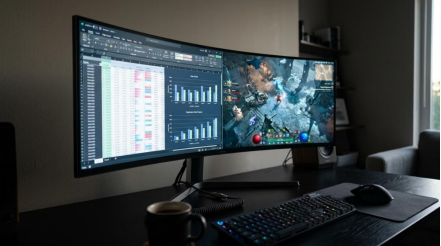
Ultrawide buyers should also keep KTC on the list if they want immersion without paying flagship money. A brand does not need to dominate the premium tier to be useful here. What matters most is whether the panel stays consistent across the wider screen, whether the backlight looks even enough for work and gaming, and whether the stand and inputs suit a larger desktop setup.
For gaming and multitasking, ultrawide monitors live or die by usability. If KTC gets the basics right, an ultrawide can be a more meaningful upgrade than chasing a small refresh-rate increase on a standard 16:9 screen.
Where Buyers Should Be More Careful
Portable Monitor Claims Need Extra Scrutiny
Portable displays are a good reminder that published specs are not always the full story. TechRadar’s testing of portable monitors showed a clear example: the Arzopa Z1RC was rated much higher for brightness than what was measured in regular use. That is not unique to one brand, and it is exactly why portable-monitor buyers should verify brightness, weight, and connectivity claims carefully.
If KTC is on your shortlist for a travel monitor, treat brightness and power behavior as first-order buying criteria. A screen that looks acceptable indoors but washes out near a bright window will feel limited fast. For this category, the difference between a claimed spec and real-world performance matters more than a flashy features list.
Color-Critical Work Still Demands More Caution
KTC is harder to recommend as a blind buy for users doing color-sensitive work. Super User’s old advice still applies: if color matters, calibration matters. Panel type alone is not enough. You need stable color management, decent uniformity, and ideally calibration with a tool such as a Spyder-class colorimeter.
That does not mean KTC cannot work for light design or content creation. It means you should verify the exact model more carefully, and you should not assume that a gaming-first display will double as a dependable editing monitor just because it covers a broad color space on paper.
Quality Control Matters More Than Brand Reputation
This is the part many shoppers skip. Even if a KTC monitor has the right specs, you should spend the first few days checking for dead pixels, uneven backlight, VRR flicker, wake-from-sleep issues, and strange overdrive behavior. These are not exotic lab problems. They are the small annoyances that determine whether a monitor feels well made after two weeks of use.
A “good brand” is one that gives you a high enough hit rate that the process feels safe. KTC is improving, but it is still better treated as a model-by-model brand than a buy-anything brand.
Practical Next Steps
Who Should Buy KTC
KTC is a sensible buy in 2026 if you want a gaming monitor first, care about value, and are willing to compare individual models carefully. It makes the most sense for buyers shopping in the 27-inch 1440p high-refresh range, for users who want useful connectivity without flagship pricing, and for ultrawide shoppers who care more about immersion and desk productivity than about absolute top-tier HDR.
Who Should Skip It
You should probably look elsewhere if you want the safest possible premium experience, top-class OLED HDR, or dependable out-of-box color performance for paid creative work. In those cases, the extra money often buys more than branding. It buys stronger consistency, better firmware, and fewer compromises.
Buying Checklist Before You Spend
1. Match the monitor’s native resolution to your actual GPU or console, not your ideal future setup.
2. Treat refresh rate as one part of motion quality, not the whole story.
3. Check whether the model supports VRR well across the frame-rate range you actually use.
4. Prioritize native contrast and backlight control over inflated dynamic-contrast claims.
5. Be skeptical of HDR badges unless brightness and dimming performance are clearly credible.
6. If you need color accuracy, plan to calibrate and verify panel uniformity.
7. Test the monitor hard during the return window, especially for dead pixels, flicker, and input-switching quirks.
The short answer is that KTC is a good monitor brand in 2026 for the right buyer. If you want dependable value in gaming and everyday display categories, it can be a smart choice, but you should still buy the monitor, not the logo.