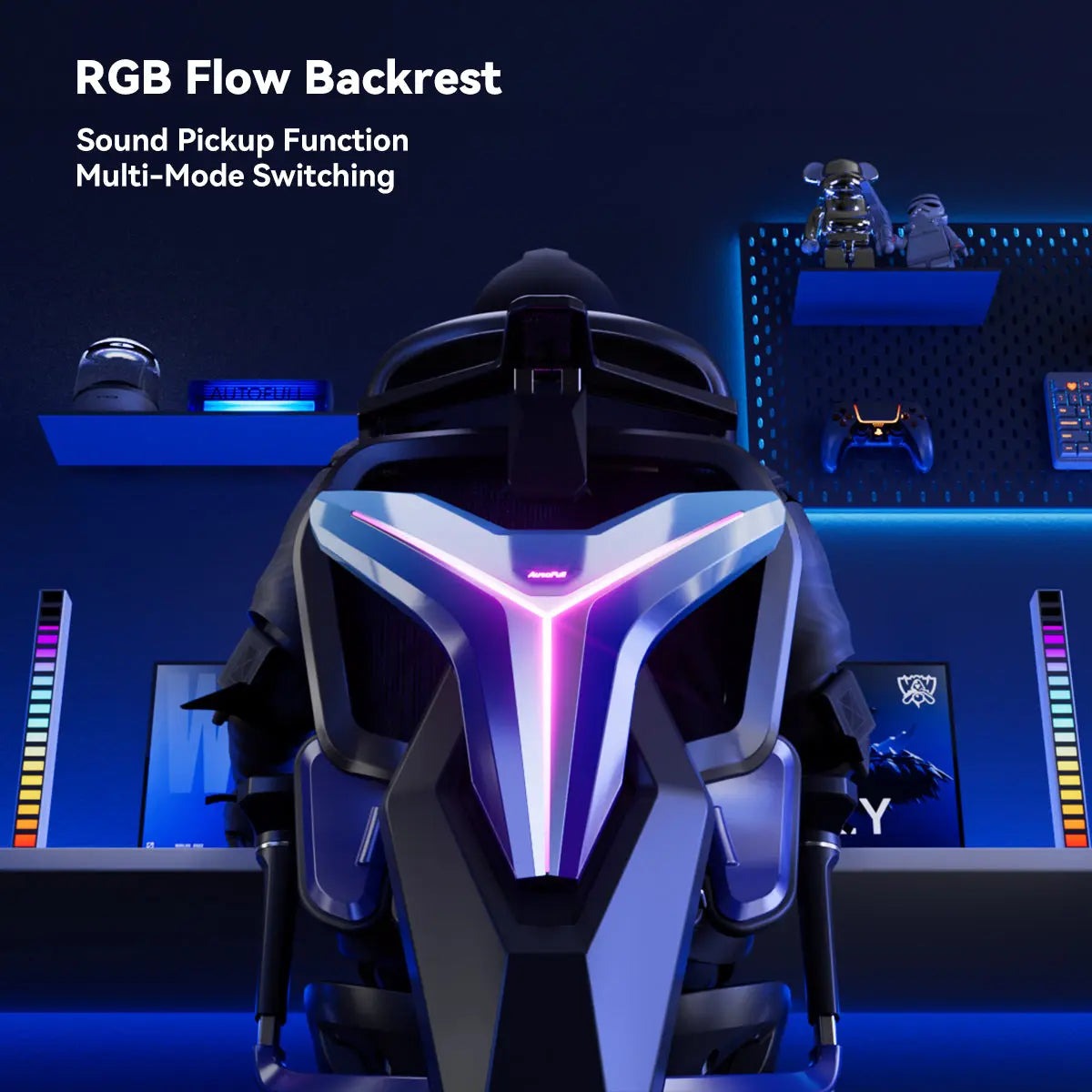
Nearly 80% of office workers will experience back pain at some point in their careers, making it one of the leading causes of workplace absenteeism worldwide. For desk-bound professionals who spend eight or more hours hunched over keyboards, the search for a chair that actually delivers relief has become something of an obsession. Ergonomic office chairs promise anatomical precision, while standing desks offer a different approach entirely — but a surprising contender has entered the conversation: the video game chair.
Originally built for marathon gaming sessions, video game chairs have migrated from basement setups into corporate home offices and even traditional workplaces. Their bold designs and heavily padded builds raise an obvious question — can a chair engineered for a teenager’s gaming rig genuinely compete with purpose-built ergonomic office chairs when it comes to alleviating back pain? To answer that, we need to look beyond aesthetics and examine what actually makes a chair supportive, comfortable, and worth the investment for anyone spending serious time at a desk.
The Growing Problem of Back Pain for Desk Workers
Sitting has been called the new smoking, and for good reason. Prolonged time in a chair compresses spinal discs, weakens core muscles, and tightens hip flexors — a combination that sets the stage for chronic lower back pain. Office workers who sit for six or more hours daily are significantly more likely to develop musculoskeletal disorders than those with more active routines, and the shift to remote work has only intensified the problem by removing the incidental movement that office environments naturally provided. Poor posture compounds the damage; when the pelvis tilts backward and the lumbar spine loses its natural curve, surrounding muscles overcompensate and fatigue rapidly. The result is not just discomfort but measurable productivity loss — studies suggest back pain costs employers billions annually in reduced output and sick days. For desk workers, the chair is the single piece of equipment they interact with for the longest stretch of each workday, making it far more consequential than most people realize. Choosing the right one is not a luxury decision — it is a practical health investment.
What Makes a Chair Ergonomic? Key Features Explained
Ergonomic design in seating is not about aesthetics or price tags — it is about engineering a chair that supports the human body’s natural alignment during extended periods of sitting. A genuinely ergonomic office chair reduces muscular strain, maintains spinal curvature, and accommodates the physical diversity of different users. For desk workers dealing with back pain, understanding which features actually matter cuts through the marketing noise and leads to smarter purchasing decisions.
Lumbar Support Systems: The Backbone of Comfort
The lumbar region — the lower curve of the spine — bears the most stress during prolonged sitting, making lumbar support the single most important feature in any chair designed for desk work. There are two primary types: built-in lumbar support, which is molded into the chair’s backrest at a fixed position, and adjustable lumbar support, which allows users to move the support pad up, down, or in and out to match their specific spinal curve. Adjustable systems are significantly more effective because spinal anatomy varies considerably between individuals. A support positioned even a few centimeters too high or too low can increase discomfort rather than relieve it. For office workers experiencing chronic lower back pain, an adjustable lumbar mechanism is not optional — it is essential.
Adjustability and Customization for Optimal Posture
Beyond lumbar support, a chair’s adjustability determines whether it genuinely fits the person using it or simply approximates a fit. Seat height adjustment ensures feet rest flat on the floor with knees at roughly a 90-degree angle, preventing pressure buildup under the thighs. Armrest adjustability — ideally in height, width, and pivot — keeps shoulders relaxed and reduces neck strain. Recline tension control allows users to lean back slightly during breaks without losing postural support, which decompresses spinal discs over the course of a long workday. A professional chair setup that accounts for all these variables dramatically reduces the compensatory muscle tension that leads to pain.
Material and Padding: Ensuring Long-Term Comfort
Material choice affects both comfort and long-term durability. Mesh backrests promote airflow and conform naturally to the spine’s shape, making them well-suited for warm environments or users who sit for six or more hours continuously. High-density foam padding, common in more heavily built chairs, offers firm support but can retain heat and compress over time. The ideal padding density is firm enough to prevent the pelvis from sinking and tilting backward — a key driver of lumbar strain — while remaining comfortable enough to sustain focus through a full workday.
Video Game Chairs: Design and Benefits for Prolonged Sitting
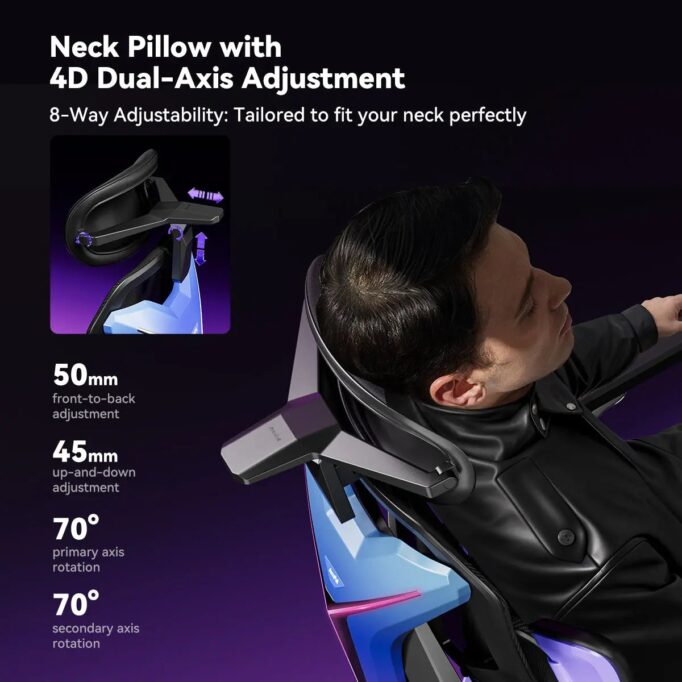
Video game chairs emerged in the early 2000s, initially designed to keep competitive gamers comfortable during sessions that could stretch well beyond a typical workday. Inspired by racing car seats, they feature a high-back design that extends to head and neck level, thick foam padding throughout, and a distinctive bucket-seat silhouette. Most models include detachable neck pillows and lumbar cushions, integrated armrests, and a recline function that can lay the chair nearly flat — features that reflect the demands of users who rarely leave their seats for hours at a time.
The crossover appeal to desk workers is understandable. The high backrest addresses a gap that many standard office chairs leave entirely — upper back and neck support — which matters for anyone who leans forward toward a monitor for extended periods. The aggressive padding provides immediate comfort that feels substantial compared to the leaner profile of traditional ergonomic chairs. Recline capability, often with a locking mechanism at multiple angles, allows genuine postural variation throughout the day rather than forcing a rigid upright position.
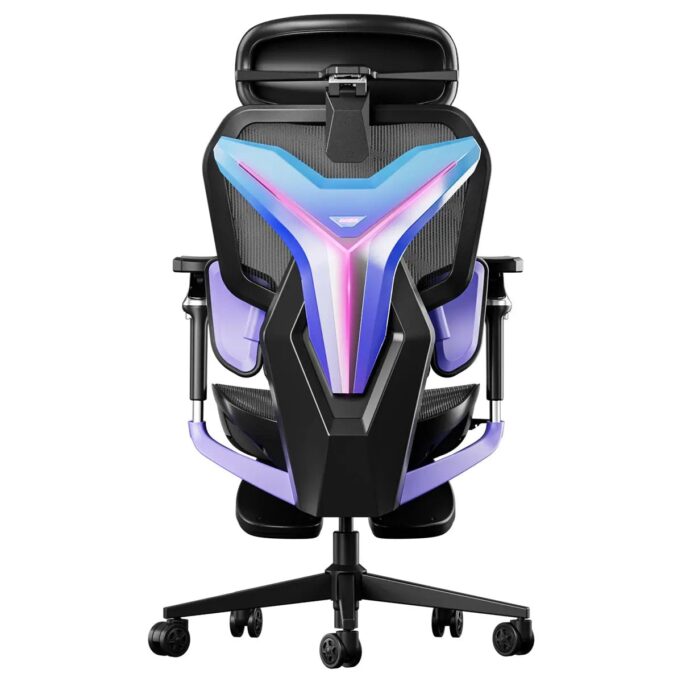
Where gaming chairs diverge from conventional office seating is in their adjustability depth and lumbar approach. The lumbar support is typically a separate cushion strapped to the backrest rather than a built-in mechanical system, which limits precision. Aesthetically, the bold color schemes and racing branding remain a point of friction in professional environments. Despite this, the core engineering — built for endurance sitting — gives gaming chairs a legitimate foundation worth evaluating seriously against purpose-built ergonomic alternatives. Some furniture brands, such as AutoFull, have responded to this gap by developing gaming-style chairs that incorporate mechanical lumbar adjustment systems more commonly associated with traditional ergonomic office seating.
Can Video Game Chairs Meet Office Worker Needs? An Analysis
Addressing the Need for Lumbar Support
The most honest assessment of gaming chairs in office environments comes down to one central question: does a detachable lumbar cushion deliver the same benefit as an integrated mechanical system? In most cases, it does not. Built-in adjustable lumbar mechanisms in purpose-built ergonomic chairs allow precise positioning against the spine’s natural curve, maintaining consistent pressure without shifting during movement. Gaming chair lumbar pillows, while immediately comfortable, tend to migrate with posture changes and require manual repositioning throughout the day. For workers with chronic lower back pain, this inconsistency can undermine the very relief the chair promises. That said, higher-end gaming chairs are beginning to incorporate adjustable lumbar mechanisms rather than relying solely on cushions, narrowing this gap meaningfully.
Enhancing Comfort to Boost Productivity
Where gaming chairs genuinely compete is in overall comfort during extended sitting. The dense foam padding and full-length backrest provide substantial physical support that many slim-profile ergonomic chairs simply cannot match for users who prioritize cushioning over minimalist design. The recline function, often more generous in gaming chairs than in standard office models, enables real postural variation — leaning back at 110 to 120 degrees periodically reduces spinal disc pressure more effectively than staying rigidly upright. The trade-off is that foam padding compresses over time and retains more heat than mesh alternatives, which can affect comfort during long summer workdays. For desk workers who run warm or work in poorly ventilated spaces, this is a practical consideration worth weighing against the comfort advantages gaming chairs otherwise provide.
Step-by-Step Guide to Choosing the Right Chair for Back Pain Relief
Step 1: Assess Your Specific Back Pain and Posture Needs
Before comparing any chairs, spend a week paying deliberate attention to where your discomfort originates and when it peaks. Lower back pain that worsens by midday typically signals inadequate lumbar support or a seat height that forces your pelvis into a backward tilt. Upper back and neck tension usually points to a backrest that is too short or a monitor positioned too low. Note whether your pain eases when you lean back slightly — if it does, recline functionality should be a priority. If heat and fatigue are factors, material choice matters as much as support mechanics. This self-assessment transforms chair shopping from a guesswork exercise into a targeted search with clear criteria.
Step 2: Compare Features: Video Game Chairs vs. Ergonomic Office Chairs
Once you have identified your specific needs, map them against what each chair type realistically offers. For lower back pain driven by lumbar instability, purpose-built ergonomic office chairs with mechanical lumbar adjustment systems hold a clear advantage over gaming chairs that rely on repositionable cushions. If your primary complaint is upper back and neck fatigue, gaming chairs’ extended high backrests and included neck pillows compete directly with ergonomic alternatives that often leave the upper spine unsupported. Evaluate armrest flexibility carefully — four-directional armrests reduce shoulder and neck strain far more effectively than fixed or single-axis versions. For workers who run warm or sit continuously for six-plus hours, mesh-back ergonomic chairs outperform foam-heavy gaming chairs on breathability. Prioritize the two or three features your self-assessment flagged as most critical, and let those drive the decision rather than brand reputation or visual design.
Step 3: Test and Adjust Your Chair for an Optimal Setup
Purchasing the right chair is only half the equation — correct setup determines whether its features actually reach your body. Start with seat height: adjust until your feet rest flat on the floor and your knees sit at approximately 90 degrees, with no pressure concentrated under your thighs. Next, position lumbar support directly against the inward curve of your lower back — for most people, this sits between the top of the pelvis and the bottom of the ribcage. Set armrests so your elbows rest lightly at roughly desk height, keeping shoulders level and relaxed rather than raised or hunched. Finally, calibrate recline tension so leaning back requires slight effort, then use this position for five to ten minutes every hour to decompress spinal discs. Pair the adjusted chair with a monitor at eye level and a keyboard that keeps wrists neutral, completing a workspace setup that supports the chair’s ergonomic benefits rather than working against them.
Additional Tips for Maintaining Posture and Reducing Back Pain
No chair, however well-engineered, eliminates back pain on its own. Movement is equally critical — setting a timer to stand, stretch, or walk for two minutes every hour prevents the muscle fatigue that accumulates during static sitting. Simple desk stretches targeting the hip flexors and thoracic spine take under three minutes and meaningfully reduce tension built up over a long workday. Strengthening the core through exercises like planks and bridges off-hours gives spinal muscles the endurance to maintain good posture without constant conscious effort. Monitor height, keyboard placement, and lighting all interact with your chair’s ergonomic benefits — a well-adjusted chair paired with a monitor that forces your chin down still produces neck strain. Treat posture as a system, not a single-purchase fix.
Gaming Chairs vs. Ergonomic Chairs: Making the Right Choice for Your Back
The question of whether video game chairs can alleviate back pain for desk workers does not have a single clean answer — it depends on which features a specific chair includes and which problems a specific worker needs to solve. Gaming chairs built with adjustable lumbar mechanisms, four-directional armrests, and generous recline functionality can genuinely compete with purpose-built ergonomic office chairs, particularly for users who struggle with upper back and neck fatigue. Where they fall short is in lumbar precision, breathability, and long-term padding durability — areas where traditional ergonomic chairs still hold a measurable advantage for chronic lower back pain sufferers.
The more important takeaway is that the label on the chair matters far less than the features inside it. A well-configured gaming chair will outperform a poorly adjusted ergonomic chair every time. Desk workers who invest time in understanding their specific pain patterns, mapping those needs to concrete chair features, and setting up their workspace as an integrated ergonomic system will see results regardless of which category their chair falls into. Back health is a long-term commitment — the right chair is a meaningful part of that investment, but only when combined with movement, strengthening, and deliberate posture habits that no chair can replace on its own.